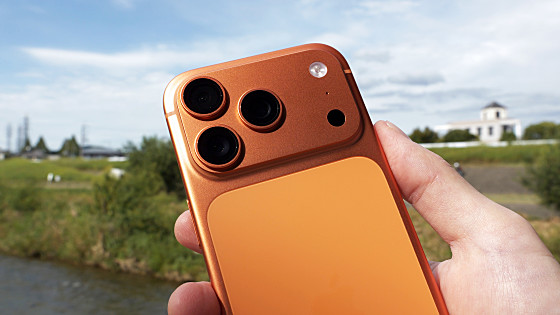
I took various photos to test the performance of the aperture-blade camera on the iPhone 18 Pro. This review shows that it's now possible to capture previously impossible effects like sunbursts.
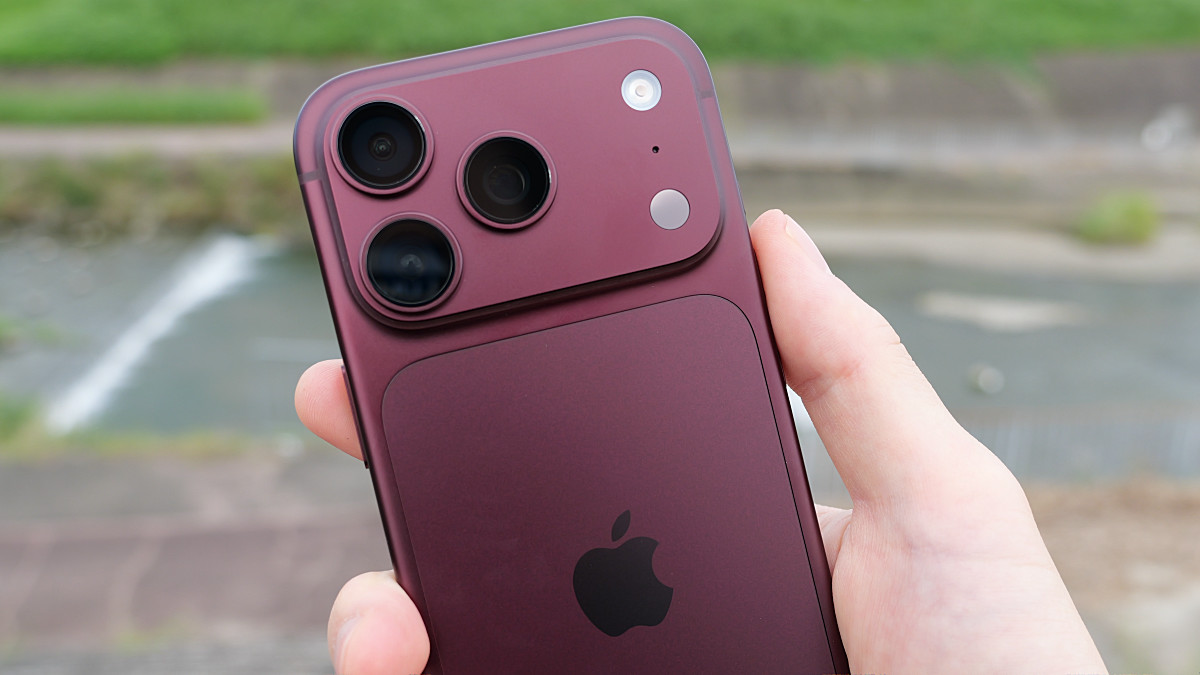
iPhone 18 Pro and iPhone 18 Pro Max - Apple (Japan)
https://www.apple.com/jp/iphone-18-pro/
·table of contents
◆1: Verifying the effect of the aperture blades on the main camera
◆2: Triple-lens camera with 0.5x to 3x optical zoom and up to 40x digital zoom
◆3: Macro photography performance
◆4: 'Apple reference images' that prove they are not AI fake images
◆5: Summary
◆1: Verifying the effect of the aperture blades on the main camera
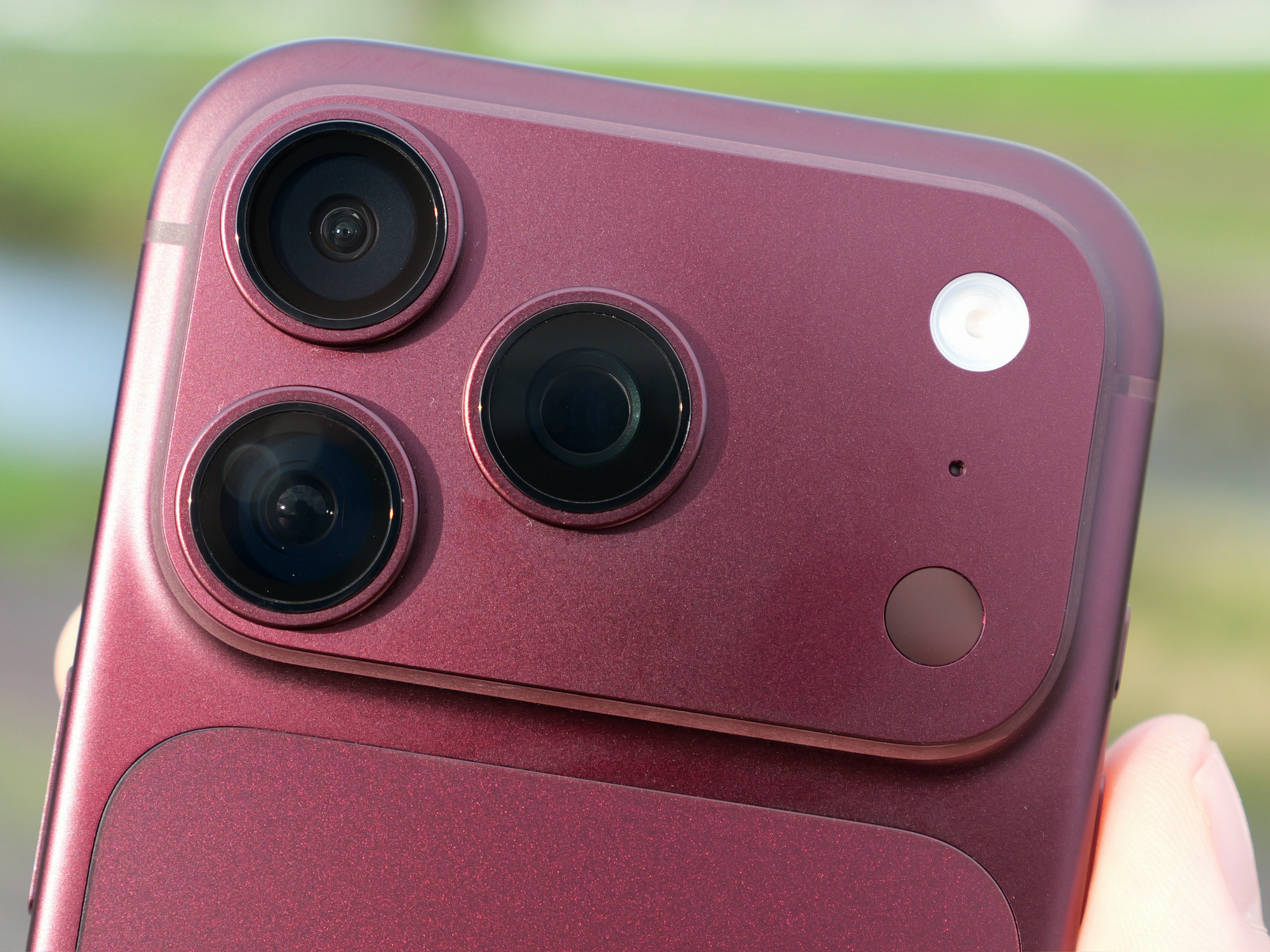
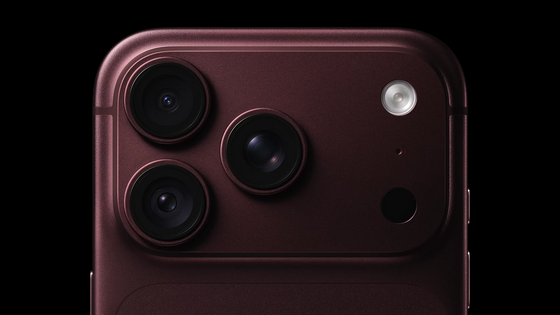
The iPhone 18 Pro's rear camera system consists of three lenses: a 48MP Fusion main lens with variable aperture, a 48MP Fusion ultra-wide-angle lens, and a 48MP Fusion telephoto lens.
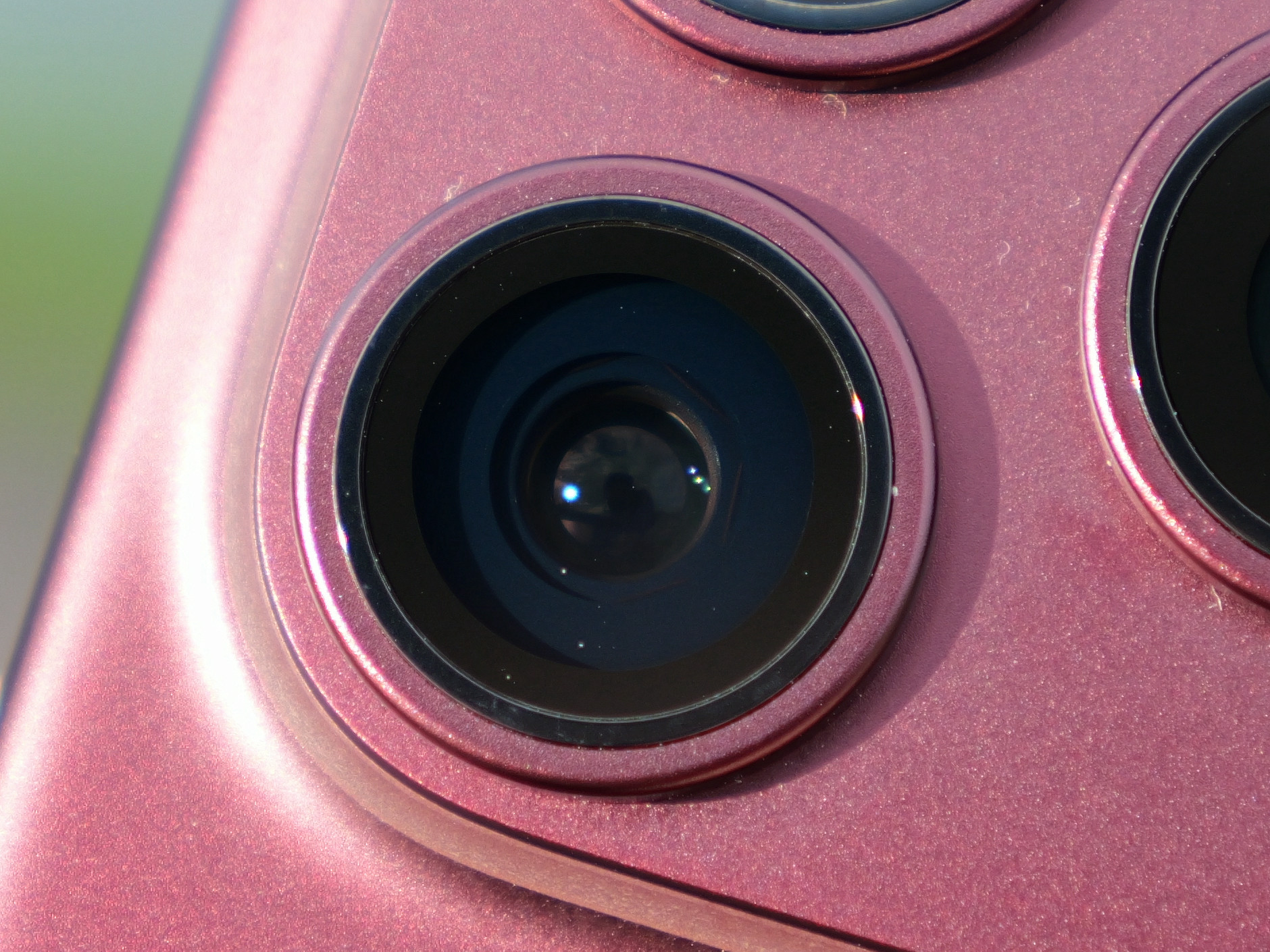
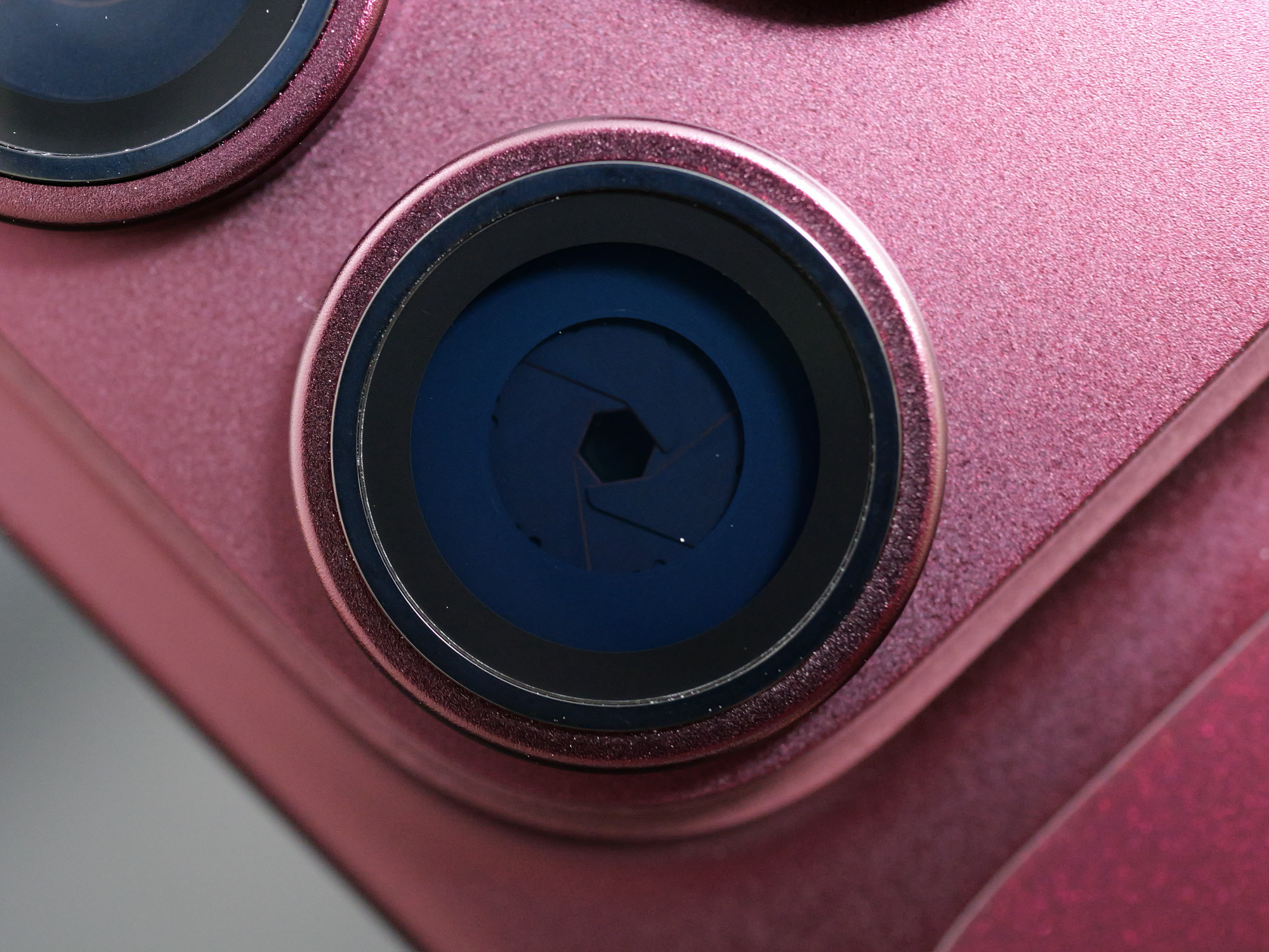
The main camera has aperture blades. The widest aperture setting is shown below.
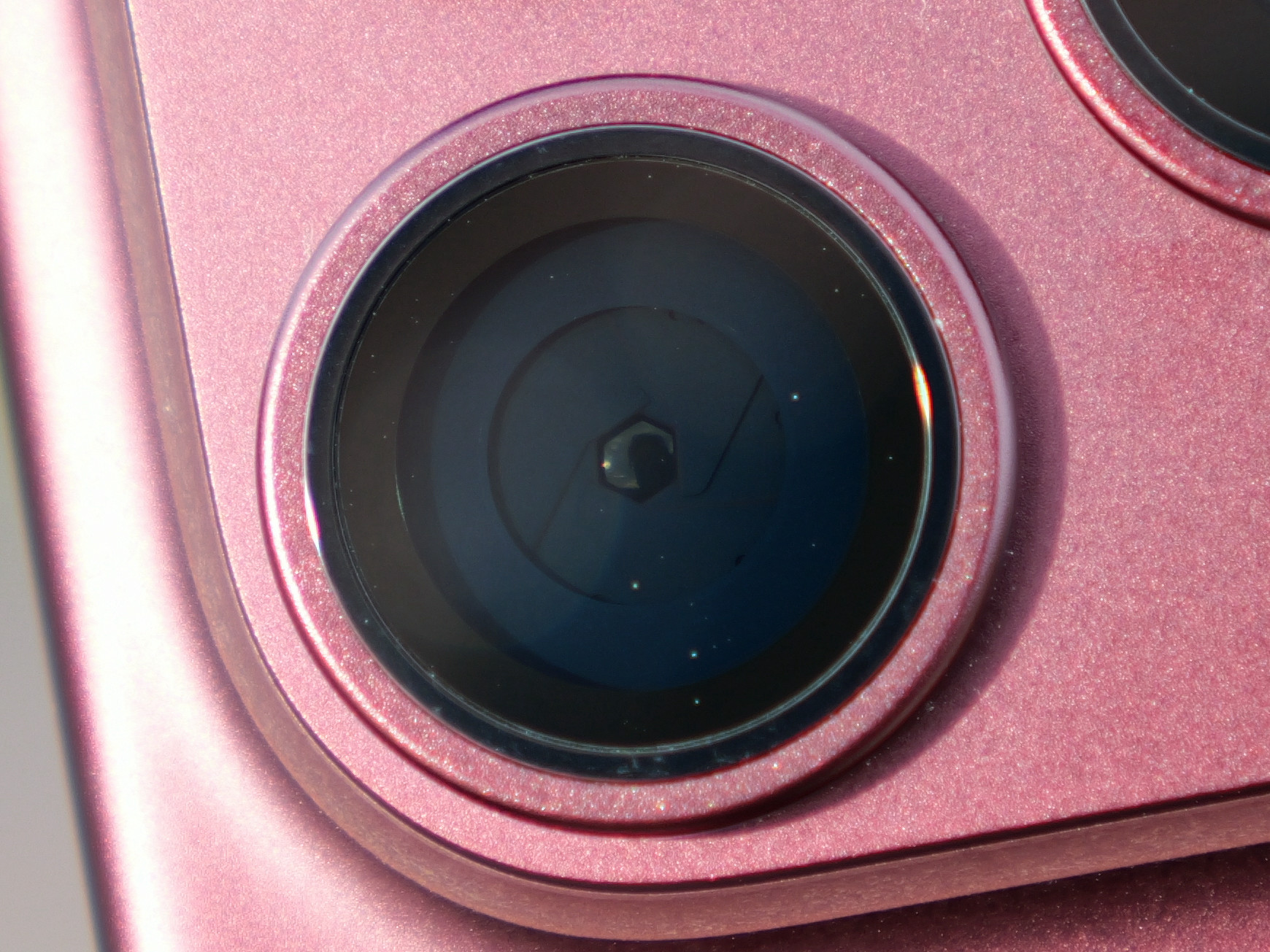
When you stop down to F4, the lens blades expand, narrowing the path of light.
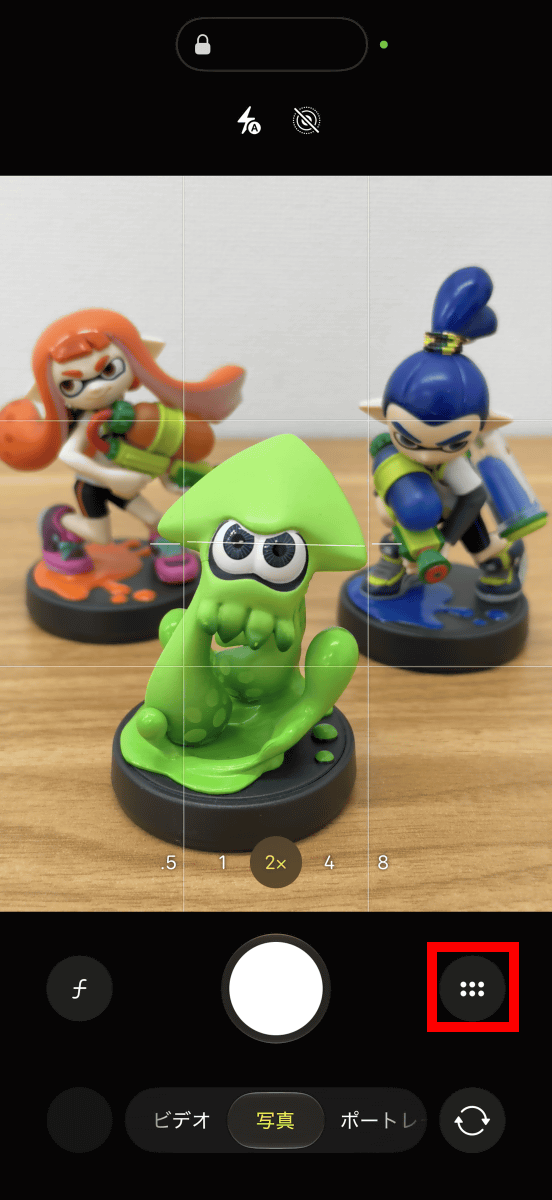
Here's how to adjust the aperture: First, tap the button enclosed in the red box to the right of the shutter button.
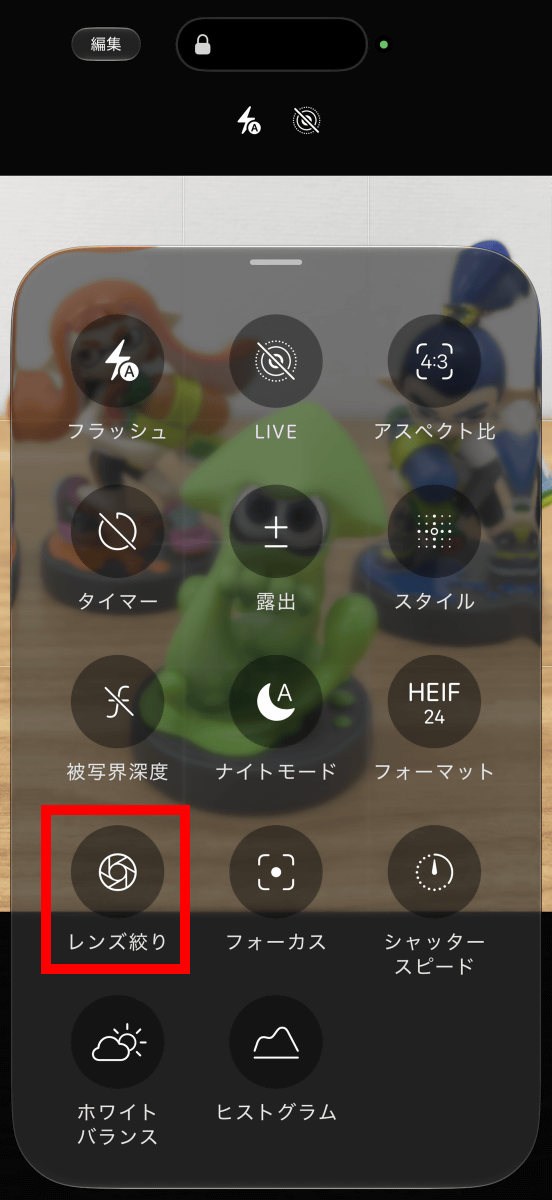
Tap 'Lens Aperture'. Note that 'Depth of Field' at the top is a software-based bokeh adjustment function, not a physical aperture adjustment. Depth of field adjustment using aperture blades is done with 'Lens Aperture'.
The lens aperture can be selected from 'Automatic', '1.48', '1.8', '2.8', and '4.0'.
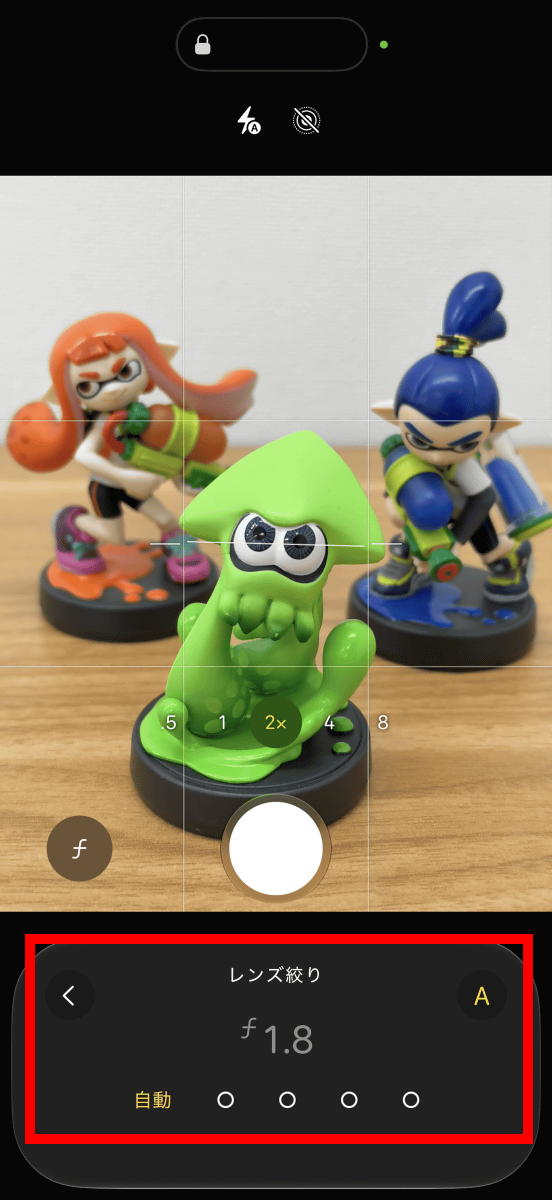
I recorded the screen while adjusting the lens aperture. You can see that the degree of background blur changes each time the f-number is changed.
The following photo was taken at F1.48. The figure in the foreground is in focus, while the figure in the background is out of focus.

At F4.0, the bokeh effect on the figures in the background became weaker.

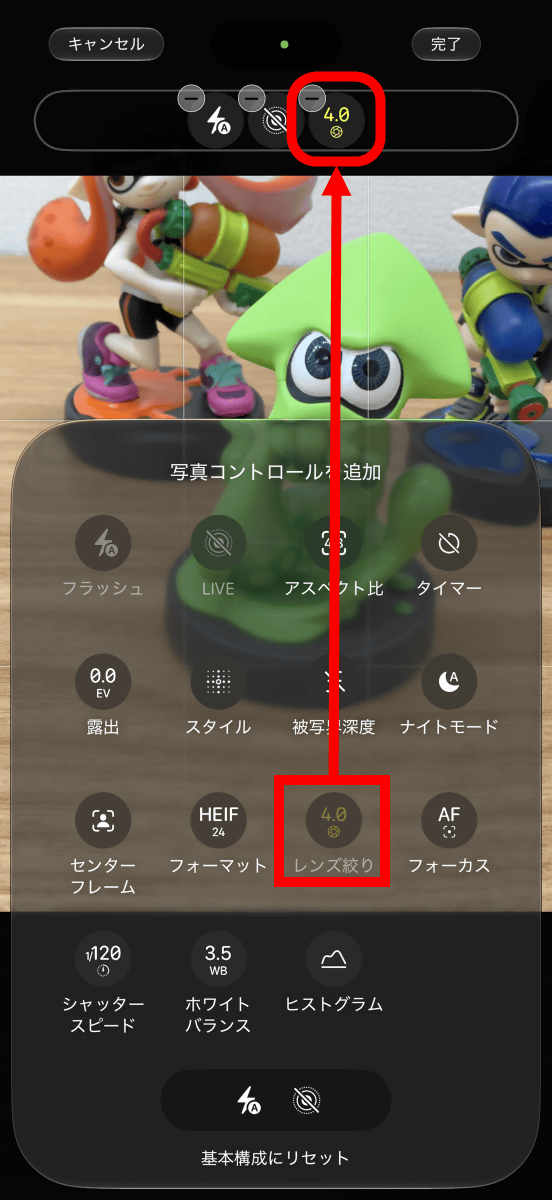
The lens aperture adjustment button can also be positioned at the top of the screen.
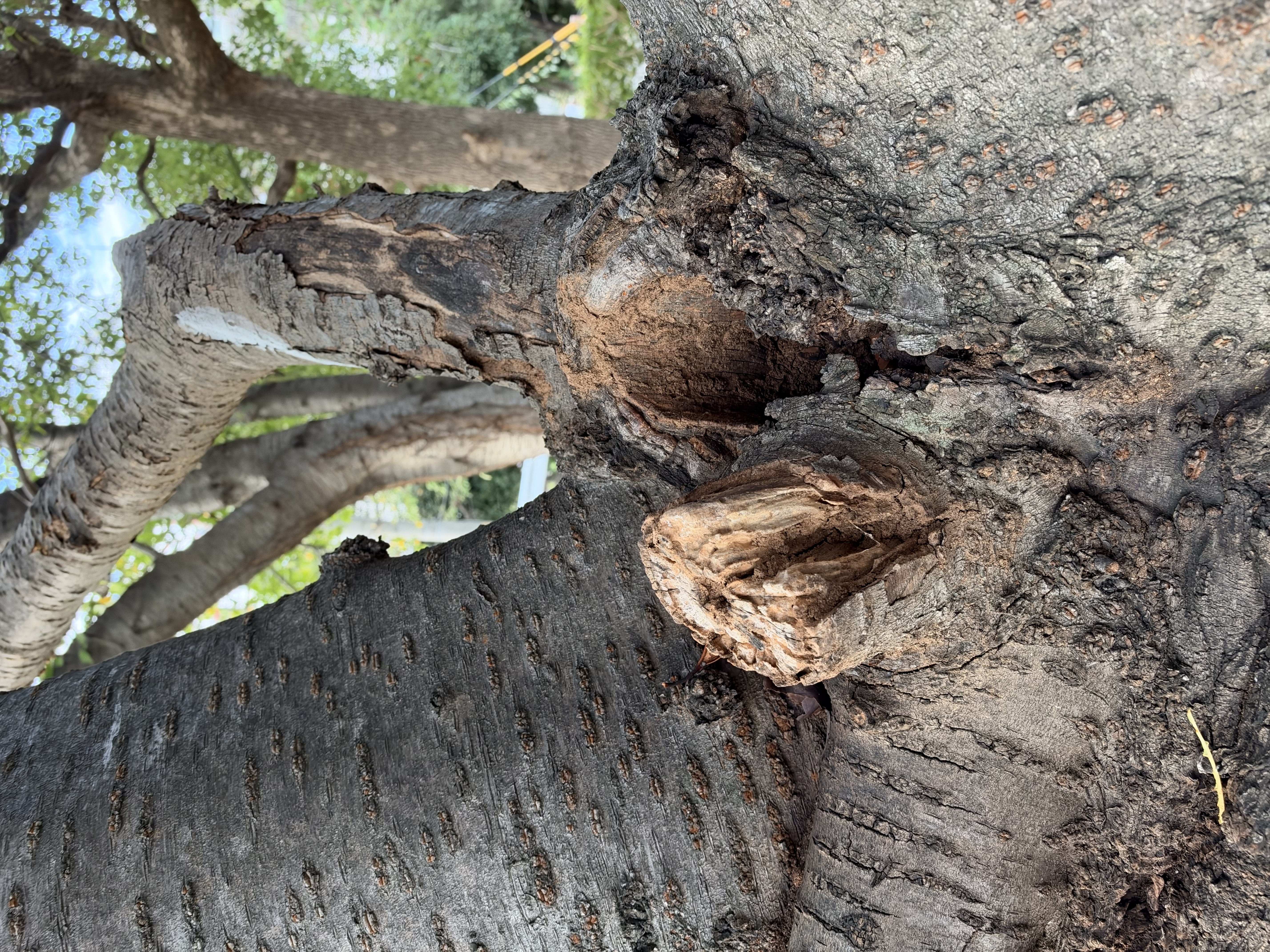
I also took some example photos to demonstrate the effect of aperture. I photographed tree branches at F1.48. The foreground is in focus, and the background becomes blurred.
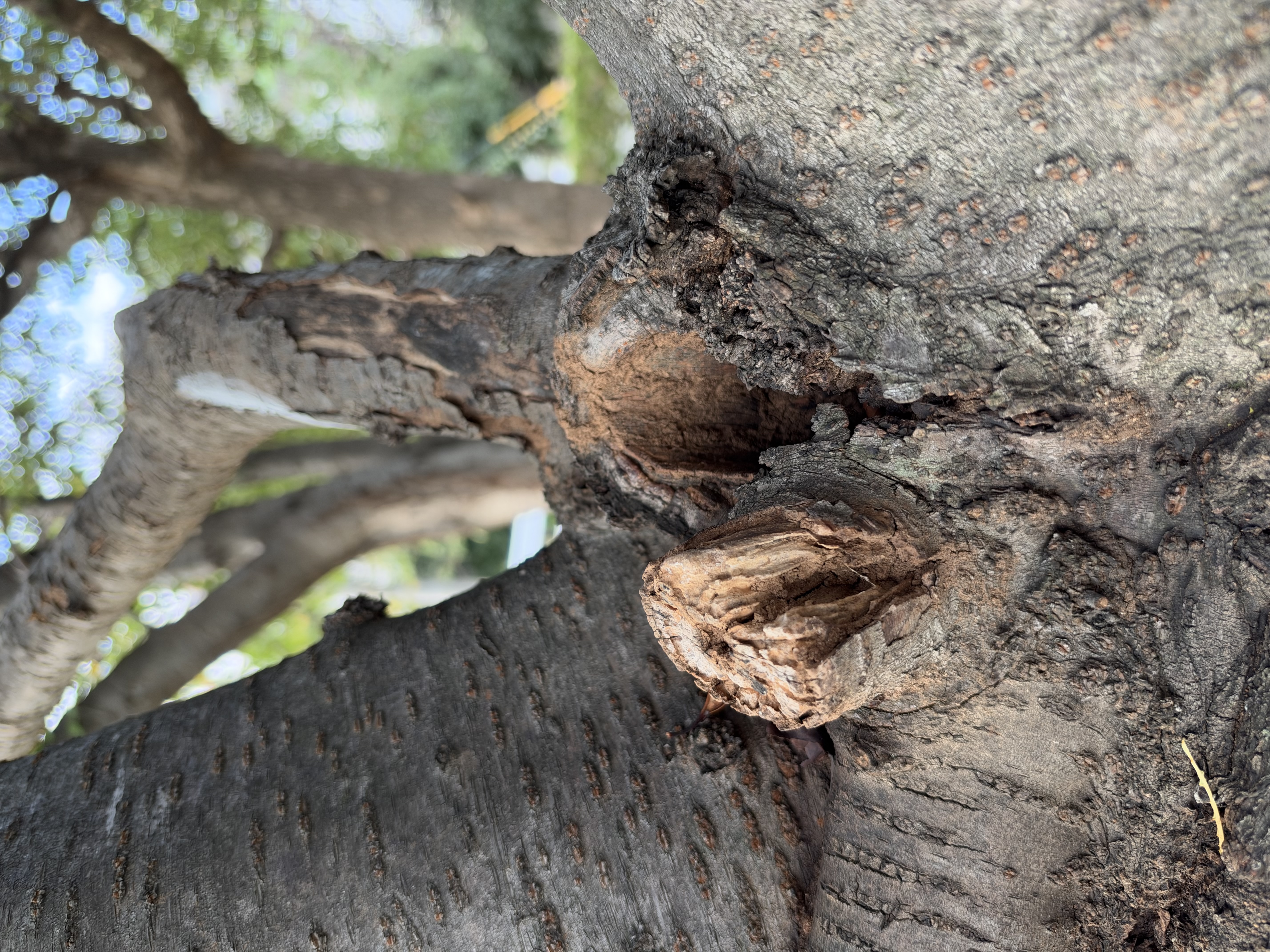
At F4.0, the focus will extend to the background.
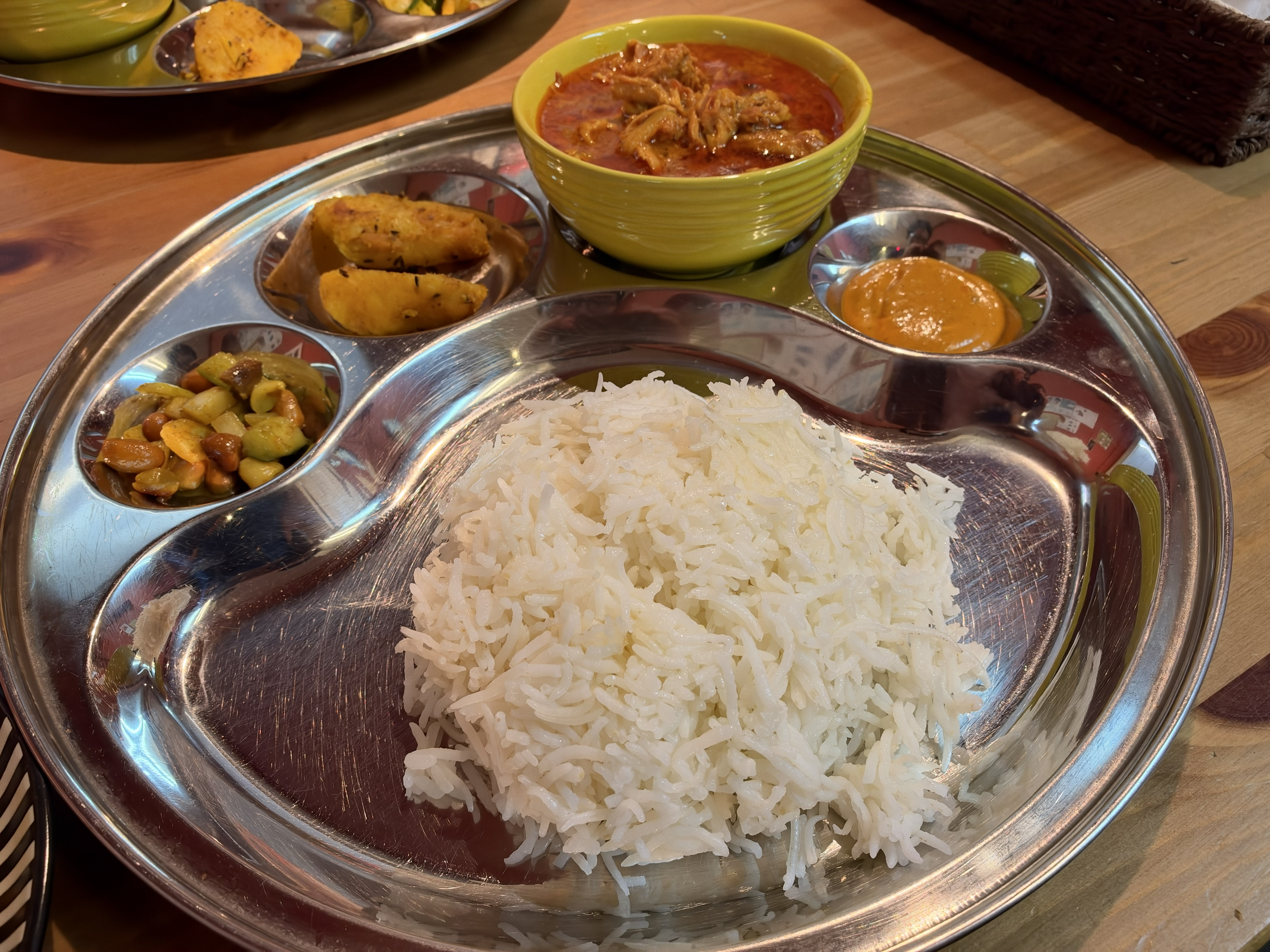
I took a photo of a curry set at
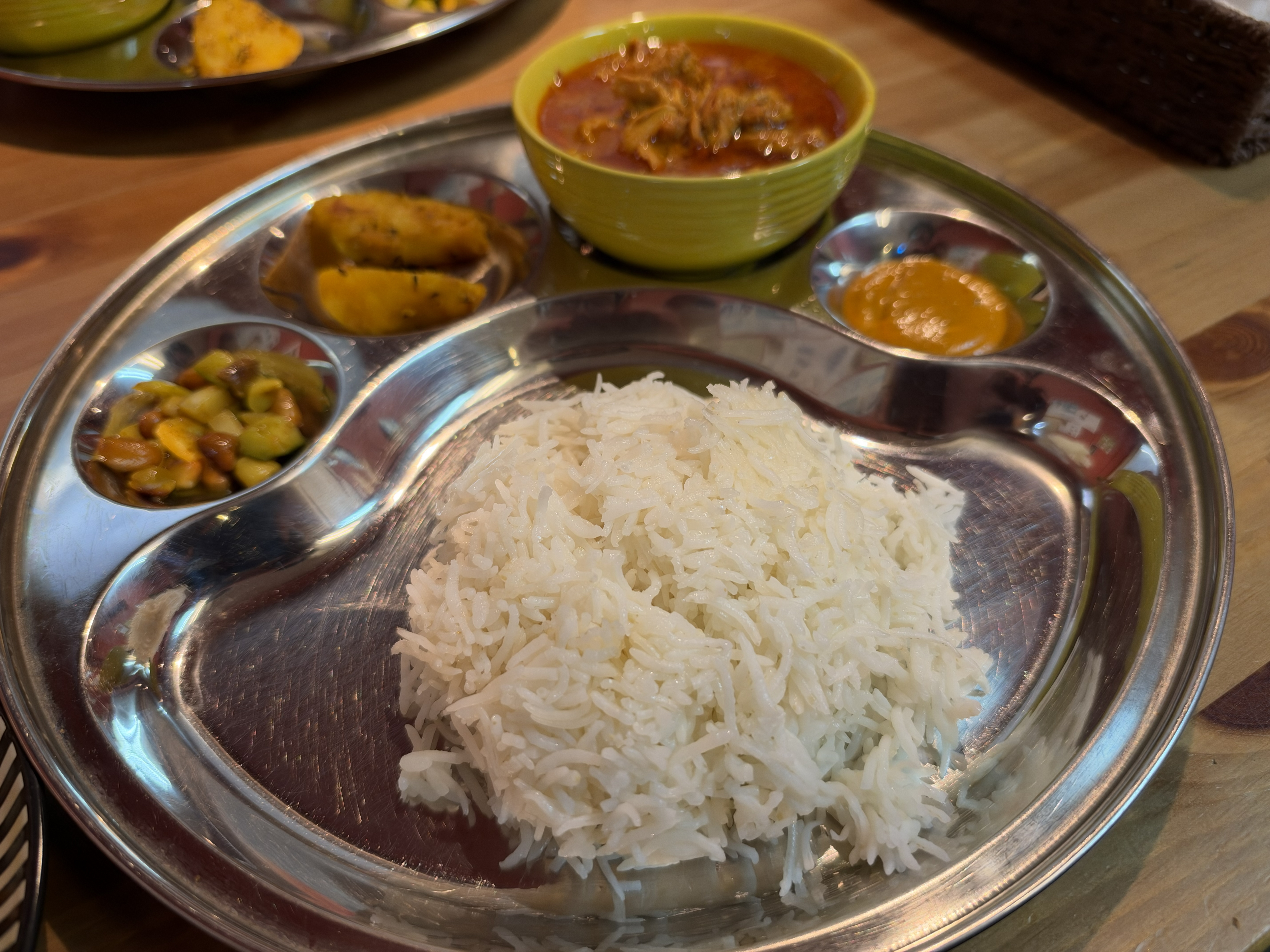
When I shot at F4.0, both the rice and the curry came out clearly.
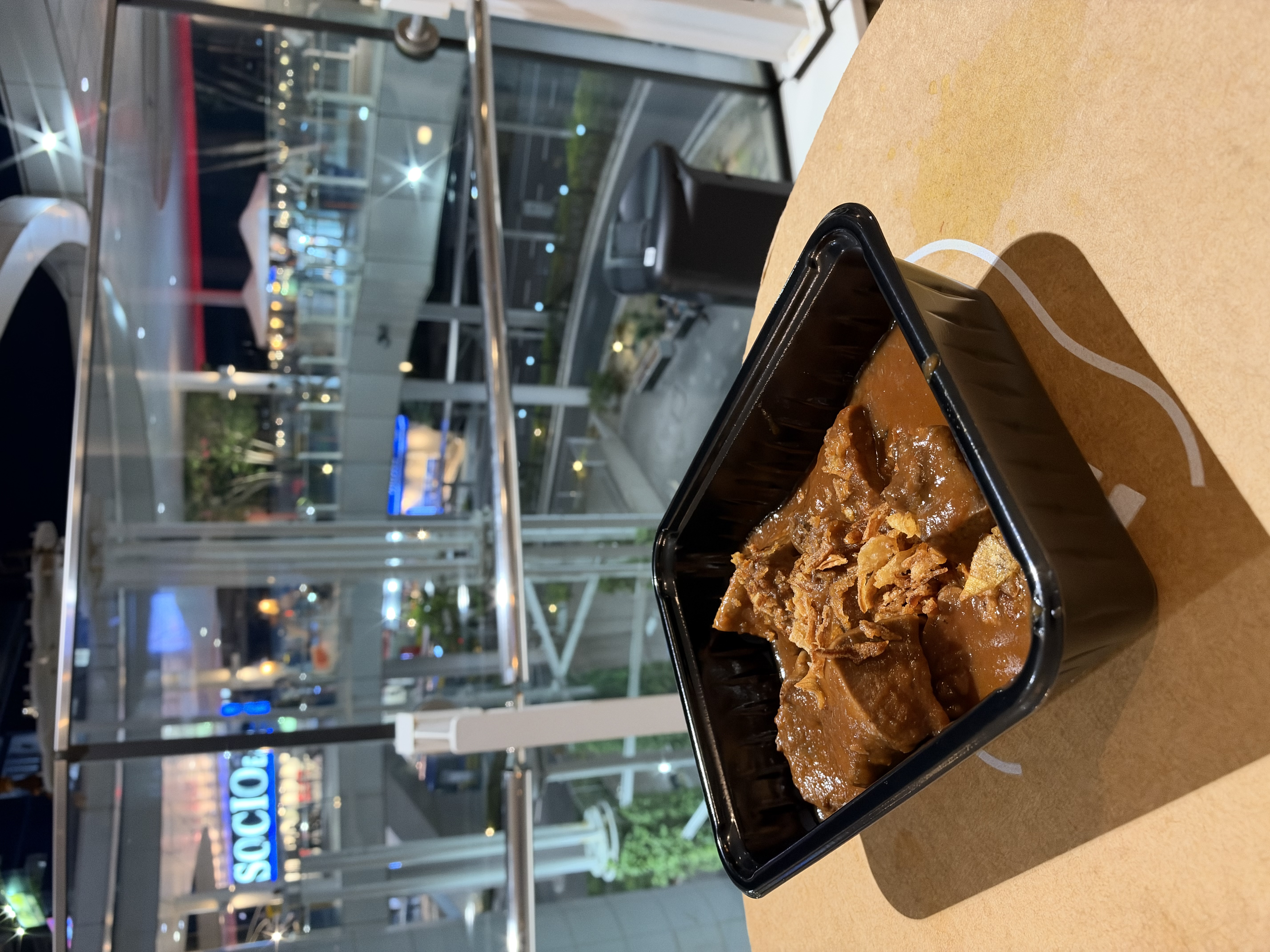
I photographed stew I bought from a street stall at F1.48. The background is beautifully blurred.
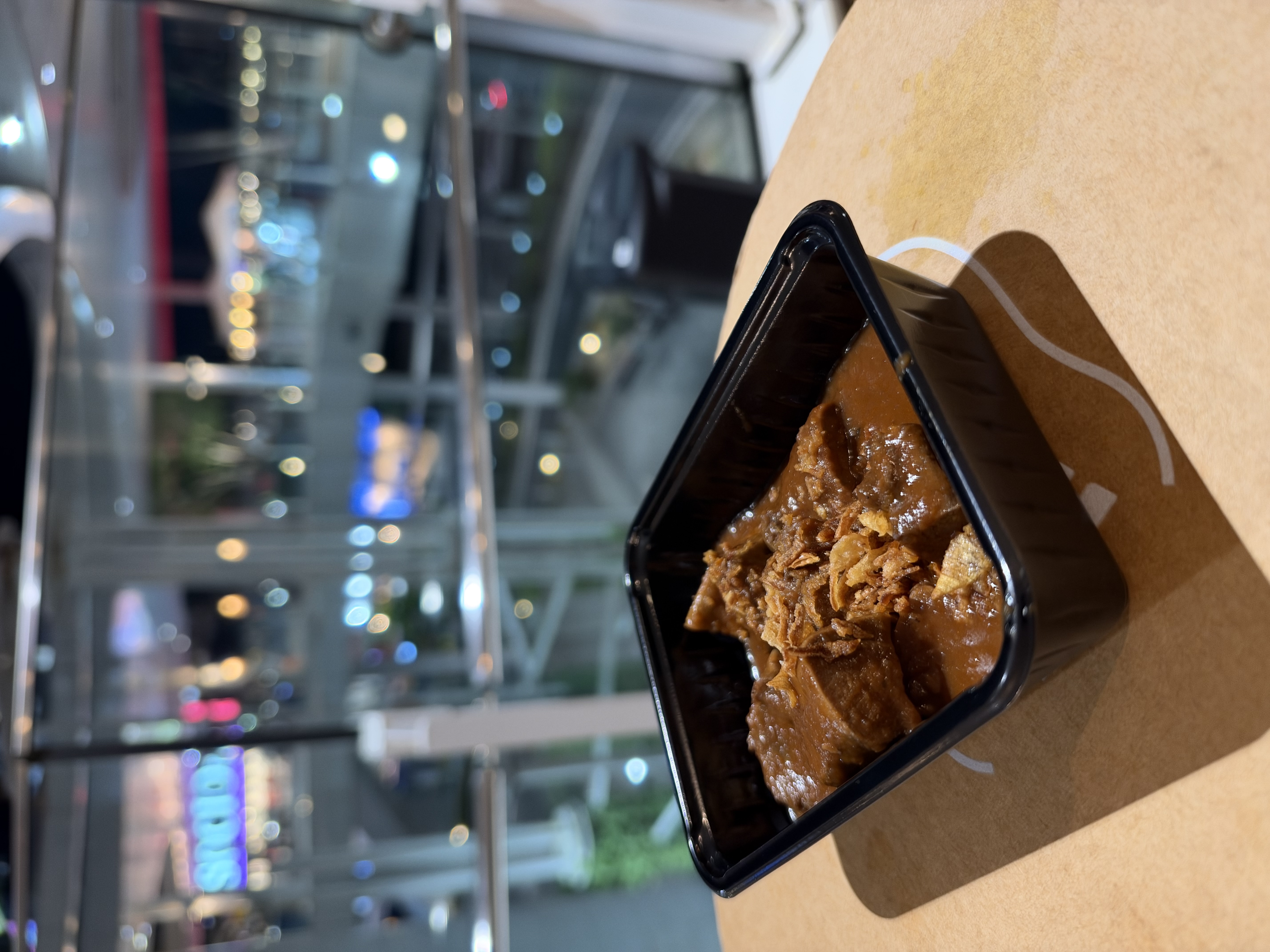
At F4.0, the letters 'SOCIO' in the back left become visible. At F1.48, the photo is striking as a work of art, but on the other hand, background information may be lost. With the iPhone 18 Pro, you can adjust the f-stop depending on whether you want to preserve the image as a work of art or record the surrounding scenery as well.
By adjusting the aperture blades, you can create streaks of light (sunbursts) around a light source. I tried taking some photos at a bus terminal at night to enjoy sunburst photography. Increasing the f-number makes sunbursts appear around large lights.
The photo I took is below. At F1.48, the sunburst effect doesn't appear.

When shooting at F1.8, streaks of light appeared around the light source.

Stopping down to F4.0 will lengthen the starburst effect. Increasing the f-number requires a longer exposure time, which necessitates using a tripod for stabilization with dedicated cameras like mirrorless cameras. On the other hand, the iPhone 18 Pro has a Night Mode that allows you to shoot night scenes handheld, and you can capture beautiful starbursts without blur even when shooting handheld.

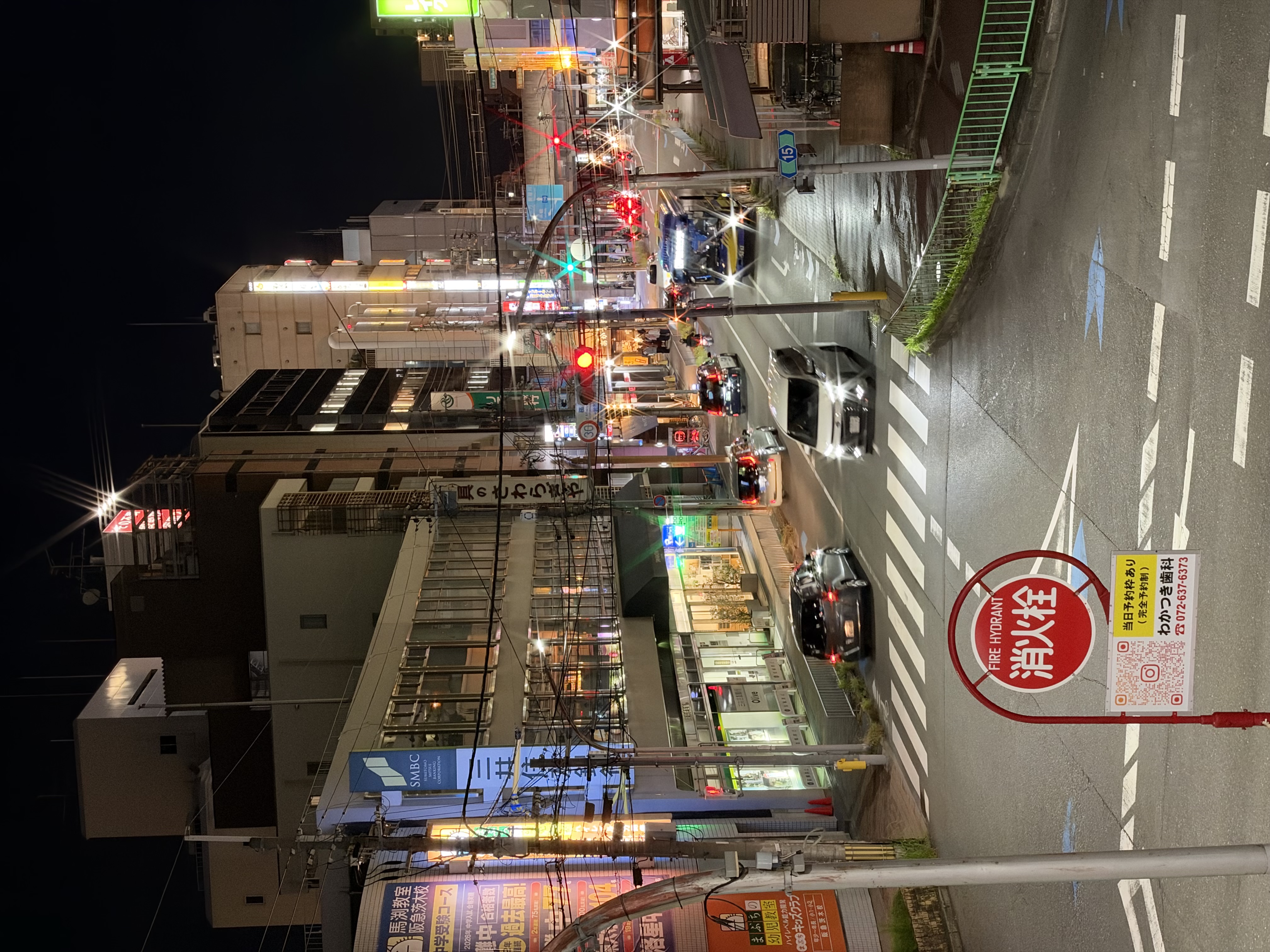
I'll try taking photos in other locations as well. This is what it looks like at F1.48.
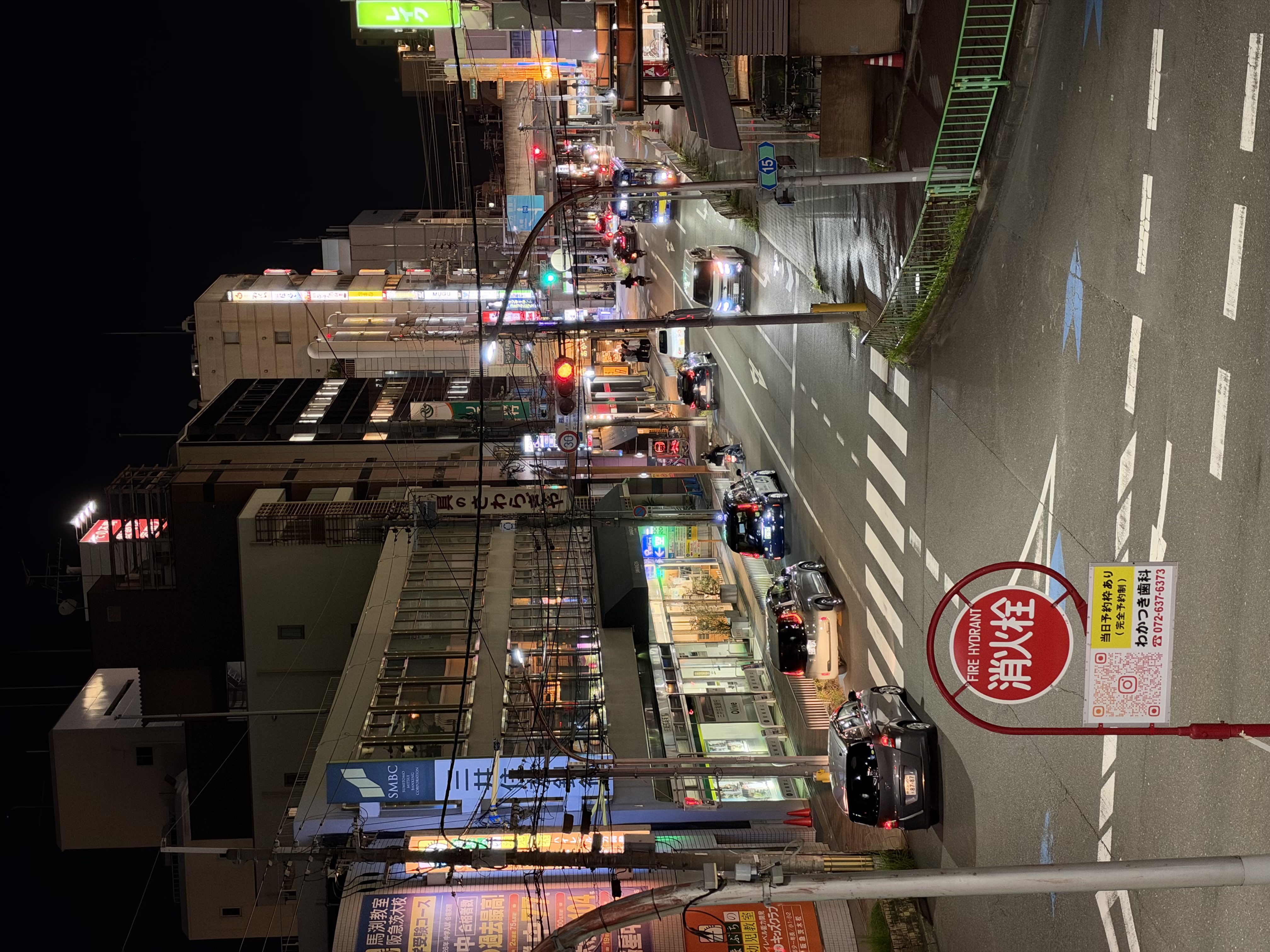
Shot at F4.0. Light rays appeared around car headlights and traffic lights, resulting in a dazzling, glaring photograph.
The aperture can also be adjusted during video recording. I tried shooting a video with the aperture set to F4.0 to emphasize the sunburst effect. The iPhone 18 Pro, with its aperture blades, allows you to take photos and videos that are distinctly different from previous iPhones.
◆2: Triple-lens camera with 0.5x to 3x optical zoom and up to 40x digital zoom
Let's take a closer look at the functions other than aperture. The camera app has five zoom settings: '0.5x', '1x', '2x', '4x', and '8x'. Of these, '0.5x' utilizes the ultra-wide-angle camera, '1x' utilizes the main camera, and '4x' utilizes the telephoto camera's base performance, while the remaining zoom levels are supplemented by crop zoom and digital zoom.
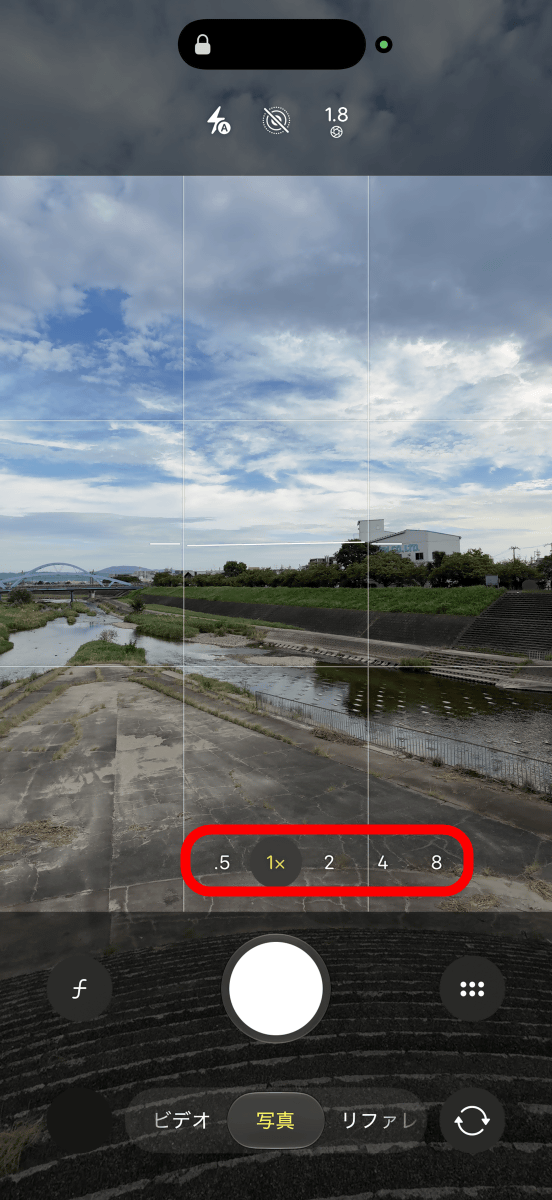
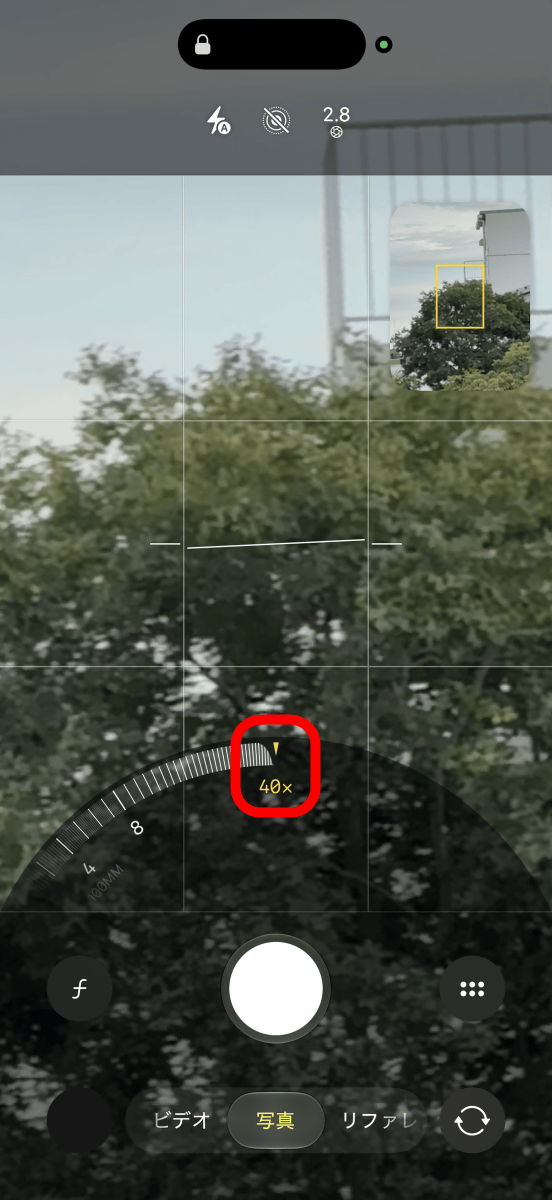
Digital zoom is supported up to 40x.
Let's try taking pictures of the same place while changing the magnification. This is what it looks like at 0.5x magnification.

1x.

The 2x zoom crops the central part of the main camera's sensor, but the quality is still quite good.

4 times.

8x zoom. This image was also taken by cropping the central part of the telephoto camera's sensor, resulting in a high-quality photograph with minimal noise. Apple's official website

This photo was taken at the maximum magnification of 40x. As expected, imperfections become noticeable when zoomed in this much.

I tried taking a similar photo in a different location. 0.5x magnification.
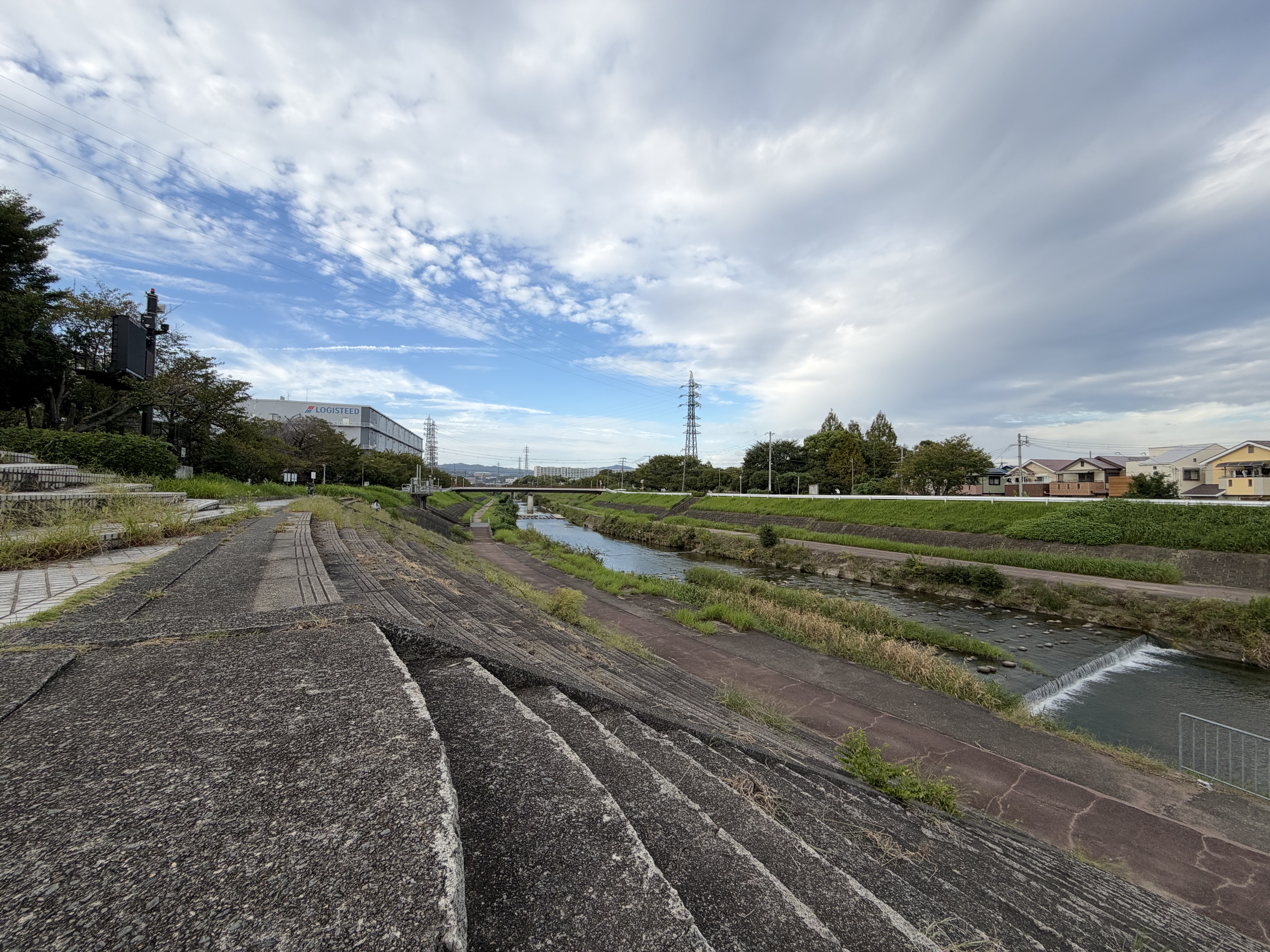
1x.

Twice as much.

4 times.

8 times.

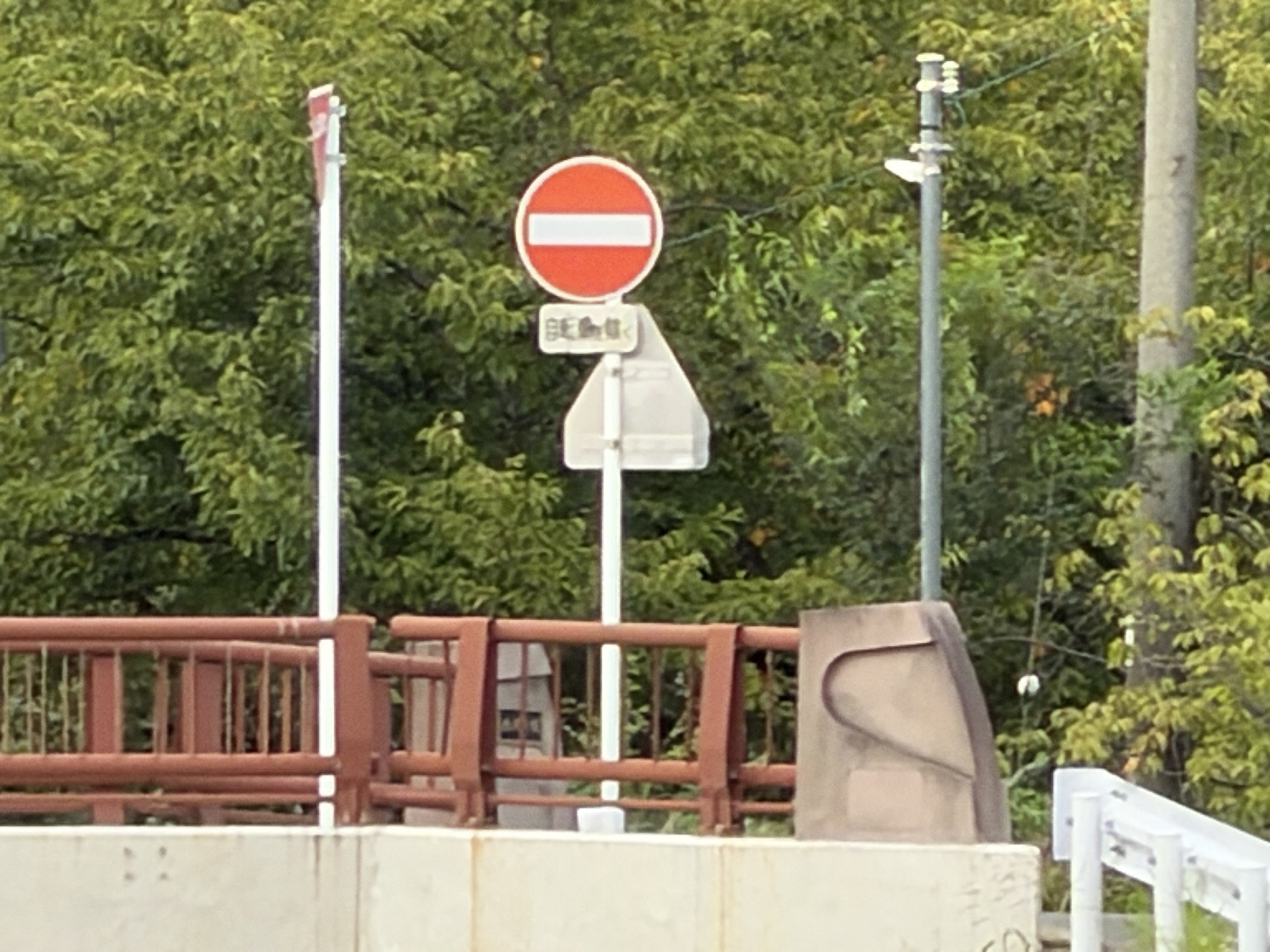
40x magnification. The image is quite blurry, and the words 'Except bicycles' on the sign have been digitally distorted.
◆3: Macro photography performance
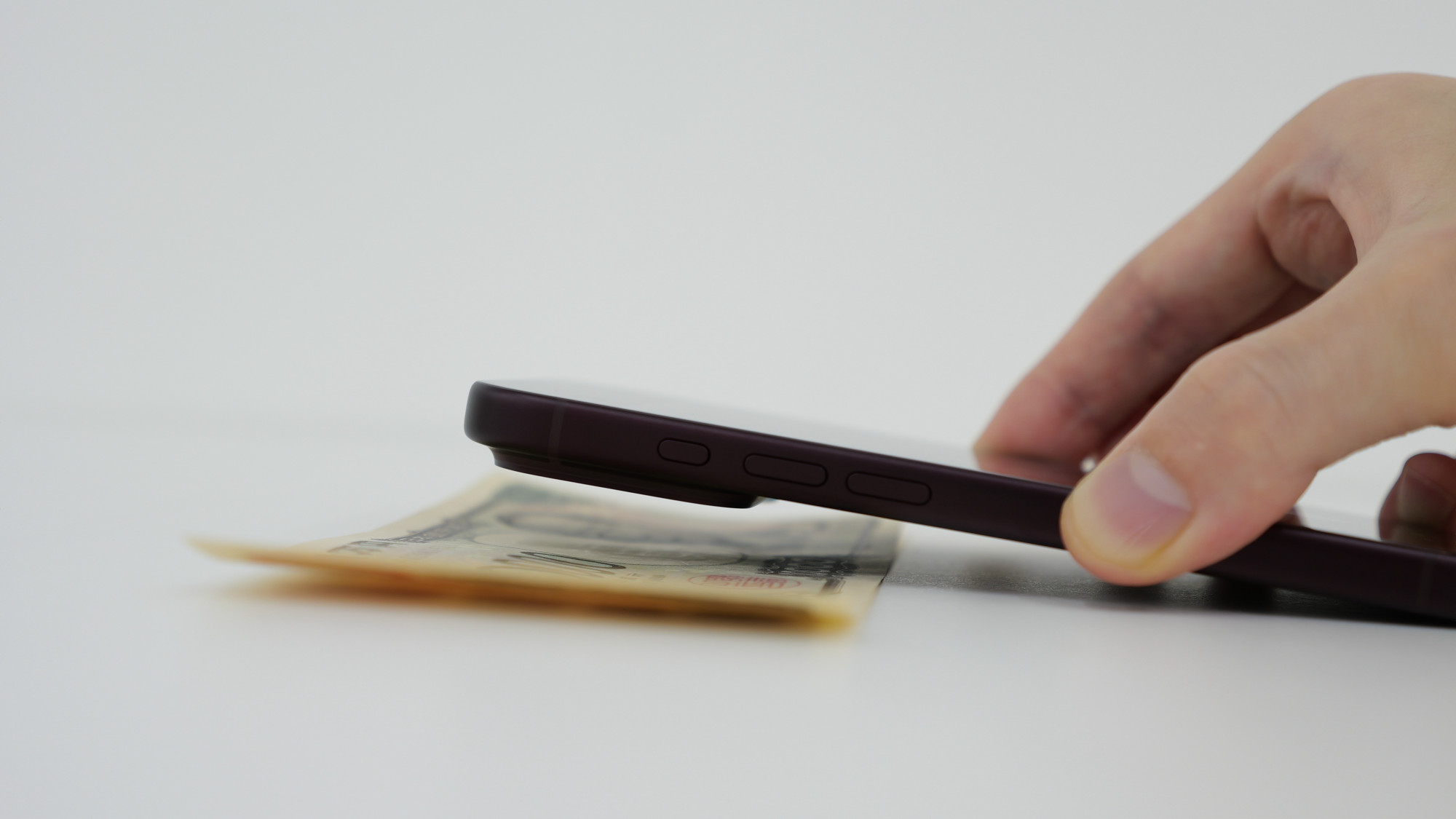
The camera automatically switches to macro mode when you get close to the subject. This is what it looks like when you get as close as possible to focus on a 10,000 yen bill.
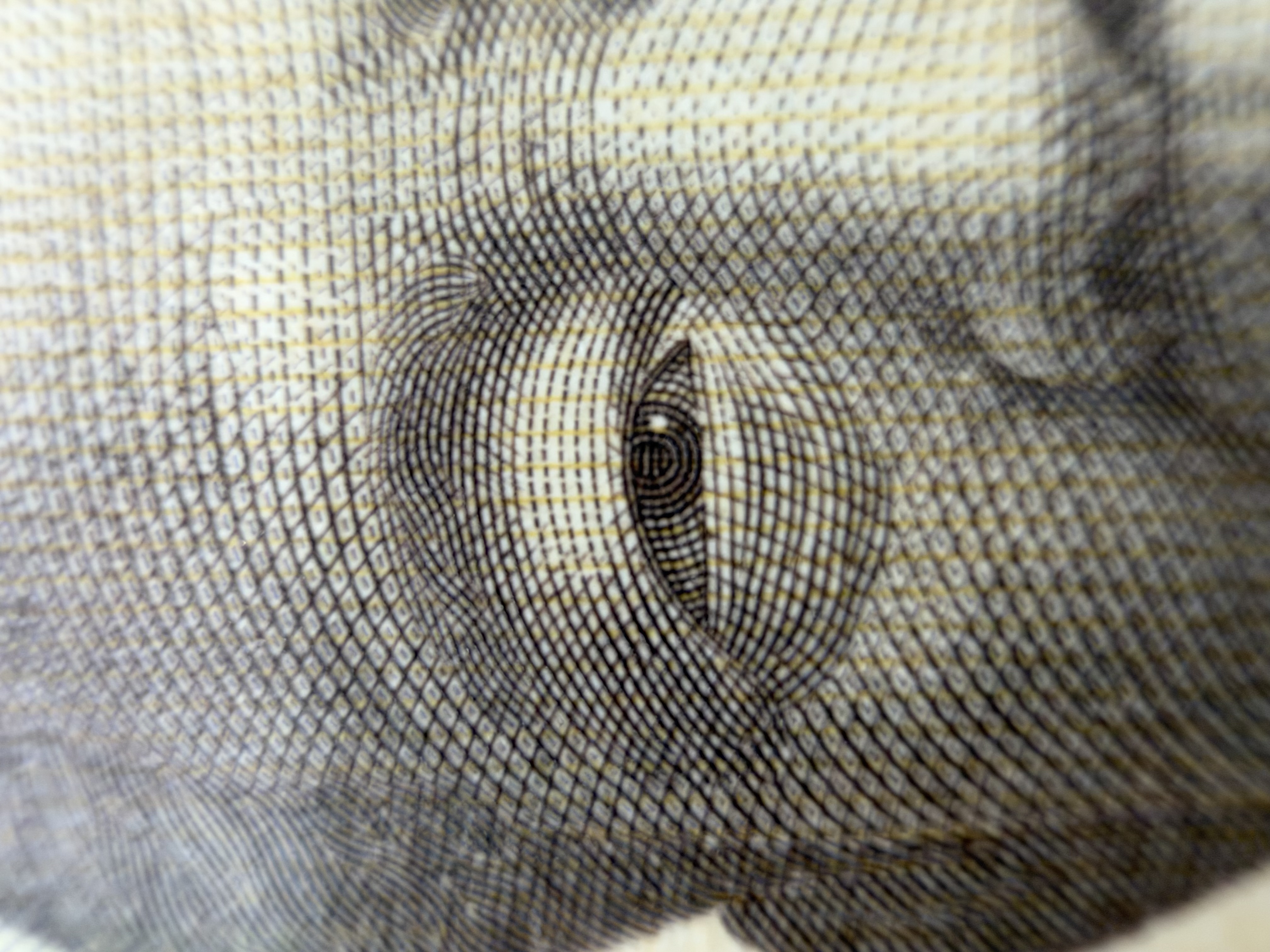
The following is a photograph taken at the shortest possible focusing distance with a magnification of 1x. I was able to take the picture close enough to see the pattern on Eiichi Shibusawa's eyeballs.
◆4: 'Apple reference images' that prove they are not AI fake images
The iPhone 18 Pro has a feature called '
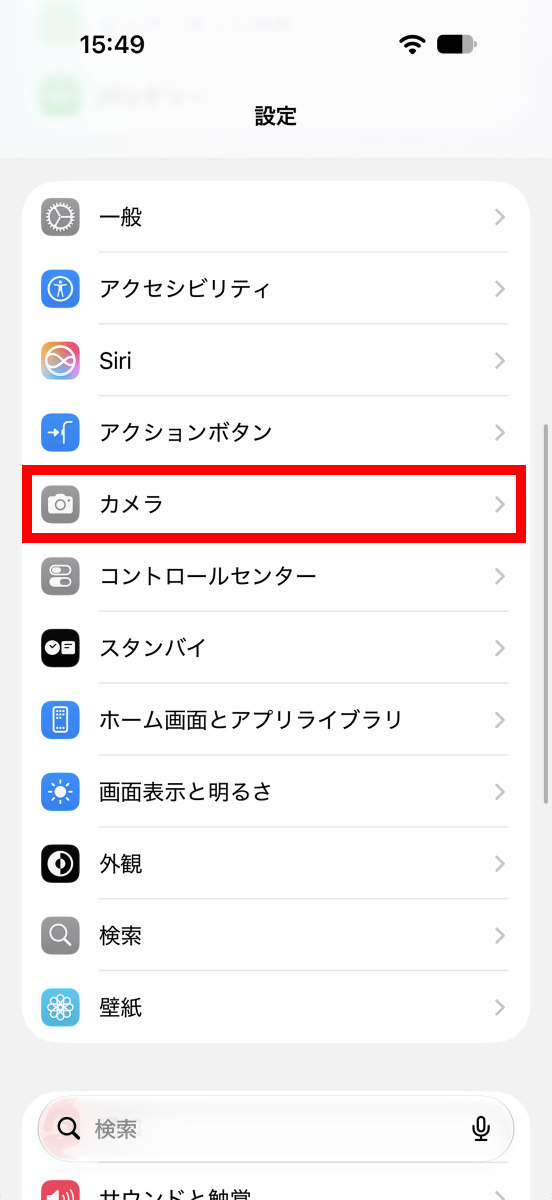
The activation procedure is as follows: First, open the Settings app and tap 'Camera'.
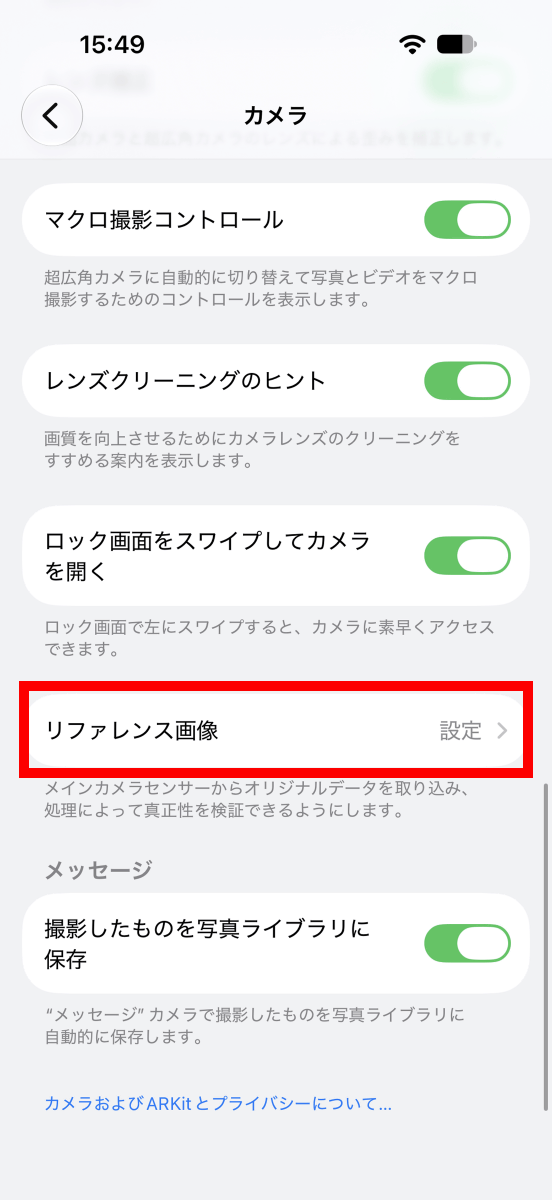
Tap 'Reference Image'.
Tap 'Add Reference Mode'.
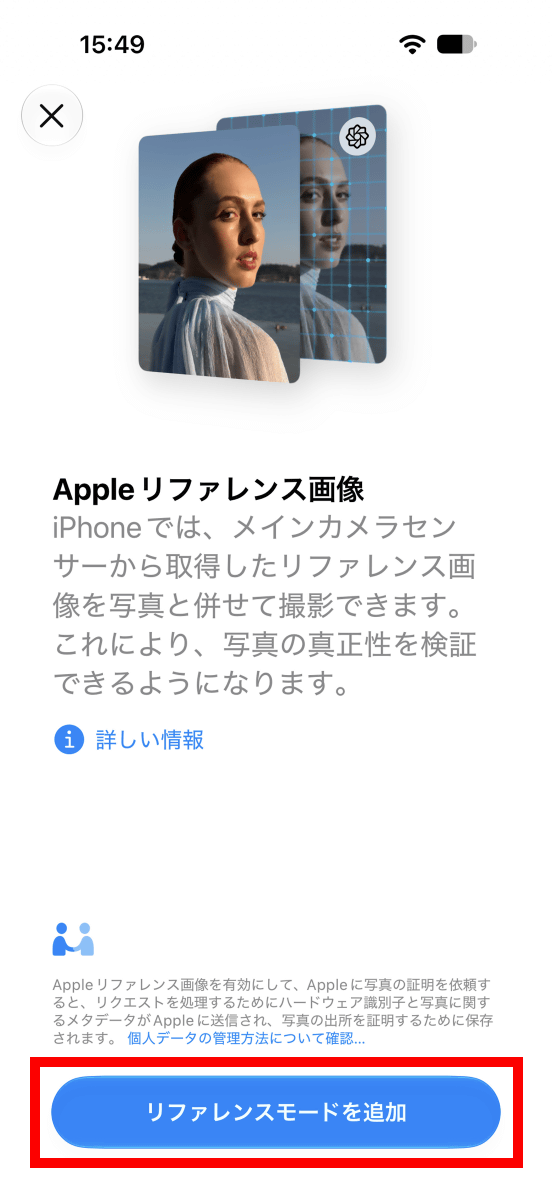
Tap 'Done'.

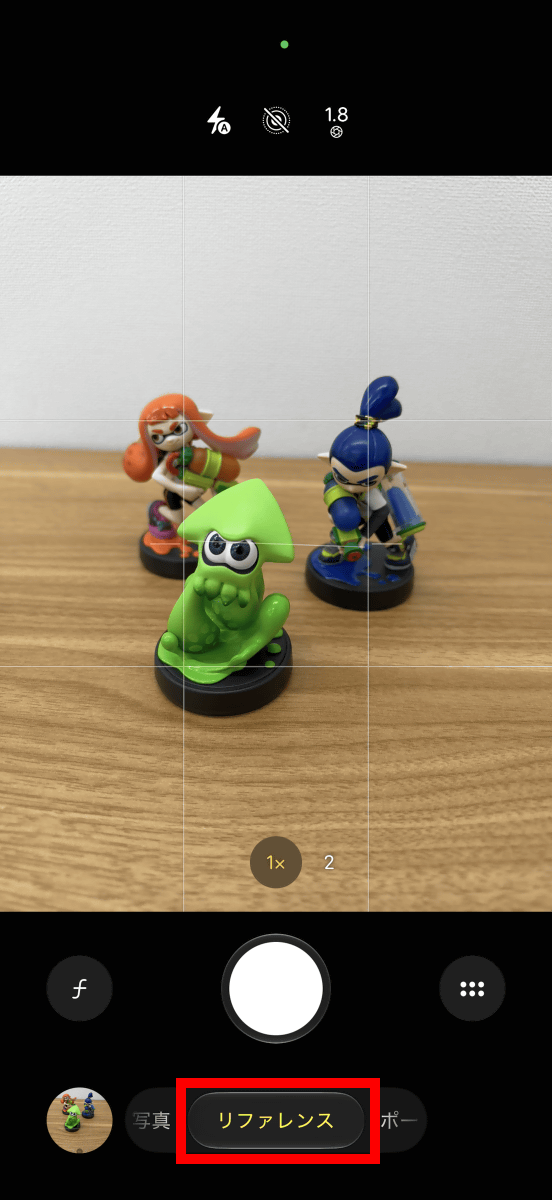
When you open the camera app, a 'Reference' option will be added to the selection of shooting modes such as 'Photo' and 'Portrait.' When you take a photo in Reference mode, authenticity information will be embedded in the photo. Note that Reference mode is only available with the main camera and is not supported by the telephoto or ultra-wide-angle cameras.
When you open a photo taken in reference mode in the Photos app, 'Reference' will appear in the upper left corner. Even after editing the photo, you can tap 'Reference' to view the original image before editing.
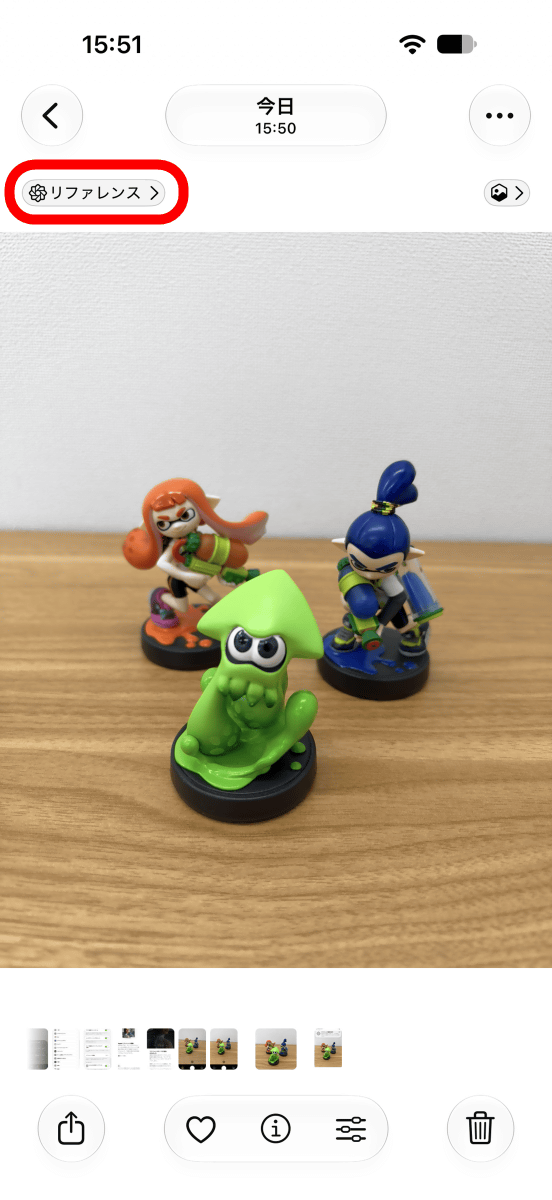
Try cropping the photo and then tapping 'Reference'.
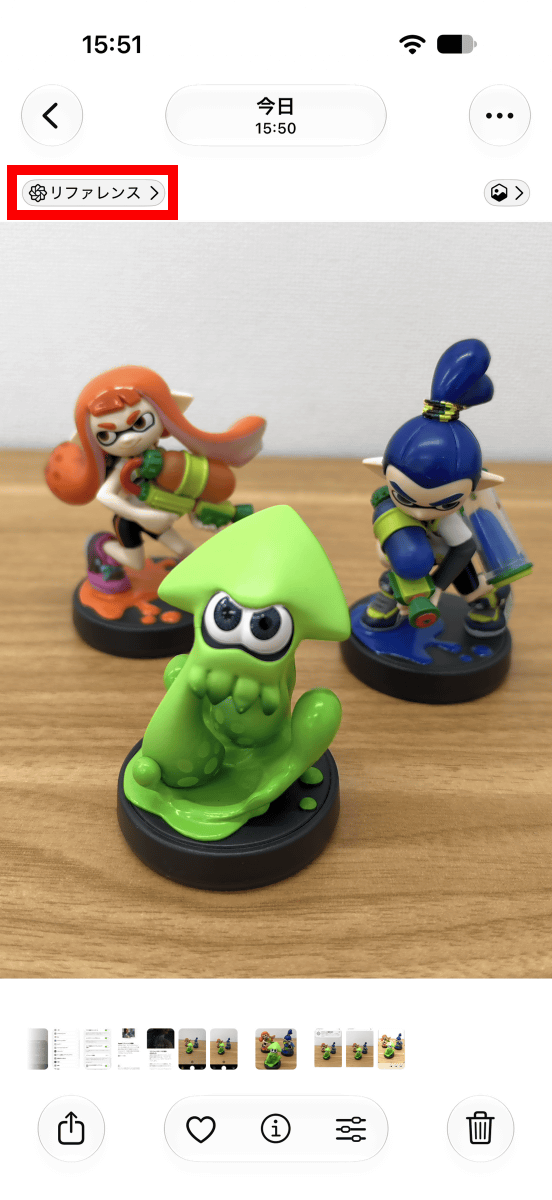
The photo before cropping is displayed. Tapping the 'i' in the upper right corner will allow you to view the 'reference image data' embedded in the photo.
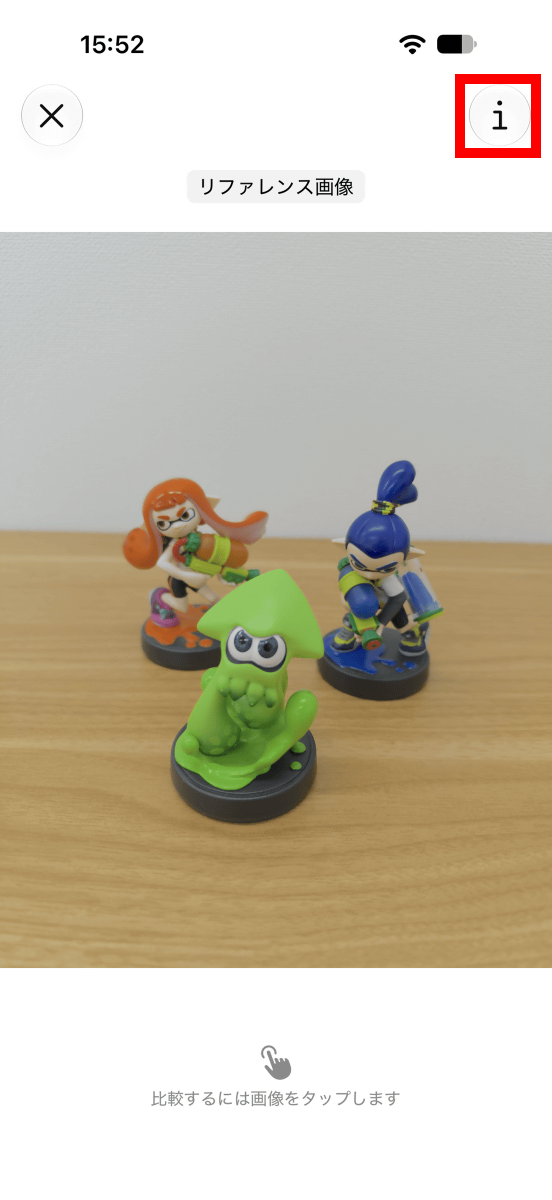
The reference image data is as follows: 'Device manufacturer,' 'Device model,' 'Date taken,' 'Time taken,' 'Lens,' 'Focal length,' 'Aperture,' 'Shutter speed,' 'ISO sensitivity,' and 'Size' are displayed. What's noteworthy is that the time taken is listed as '15:09:02 to 15:51:37.' In the case of Exif information, the camera's set time is recorded as the time taken, but Apple reference images employ a system that 'periodically obtains encrypted timestamps via Apple's notification service and records the 'latest timestamp obtained before shooting' and the 'first timestamp obtained after shooting'.' If the device's set time is recorded as is, the information can be tampered with depending on the settings, but with Apple reference images, by recording encrypted timestamps, it can be proven that 'the photo was definitely taken within this time range.'
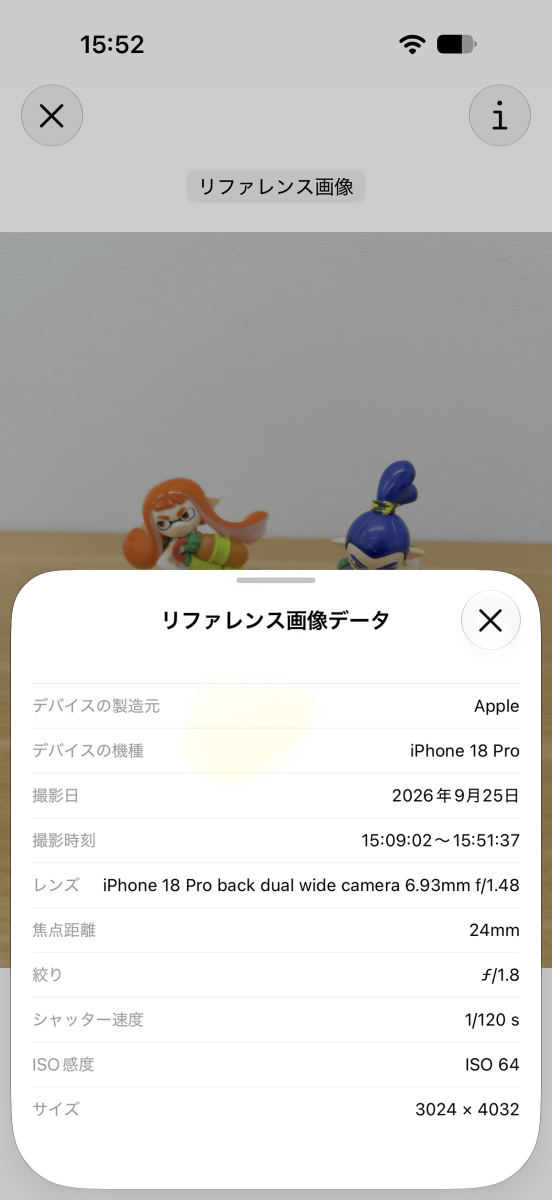
Please note that since timestamps are obtained via the internet, the timestamp interval will widen if you remain offline for an extended period. In this case, I was only using a Wi-Fi connection and not a mobile data connection, so I was unable to receive timestamps outdoors, resulting in a shooting time range exceeding 42 minutes. If a mobile data connection is also used, timestamps can be obtained at an average interval of 15 minutes.
◆5: Summary
The iPhone 18 Pro is the first iPhone in the series to feature an aperture blade, allowing users to adjust the depth of field to suit the shooting scene and also enjoy shooting with starburst effects. It also includes an added feature to verify authenticity, making it a significantly improved camera compared to its predecessor.
We will be publishing an article at a later date that will review the battery performance of the iPhone 18 Pro.
[to be continued]
Related Posts:
in Video, Hardware, Smartphone, Review, Posted by log1o_hf