Firefox 156 officially released, enabling Firefox to automatically open when a Mac starts up.

The official version of the web browser ' Firefox 156 ' has been released. The macOS version now includes a setting to automatically open Firefox when the Mac starts up, the built-in PDF viewer's startup speed has been increased by up to 45%, and bugs related to picture-in-picture subtitles and split view have been fixed.
Firefox 156.0, See All New Features, Updates and Fixes
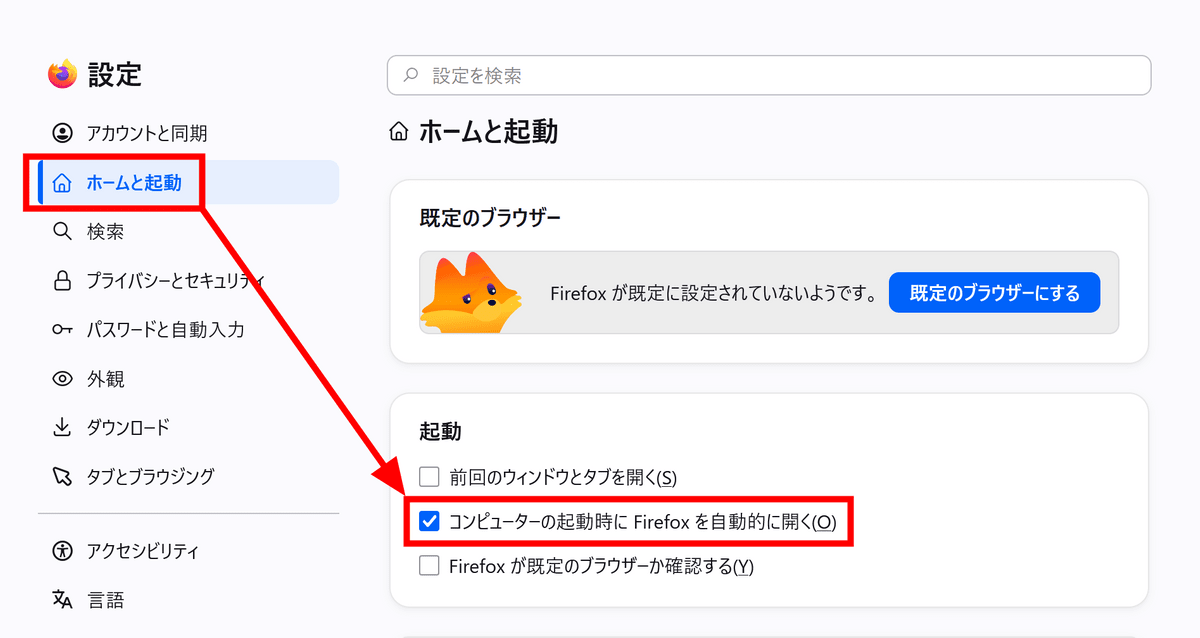
◆ Enables automatic Firefox startup on macOS
Previously, the Windows version of Firefox could be configured to automatically open when the PC starts up. Firefox 156 adds a similar automatic startup setting to the macOS version. To enable this, simply open Firefox's 'Settings,' go to 'Home & Startup,' and enable automatic startup.
◆New Firefox Suggest suggestions added in France, Germany, and Italy
In the '
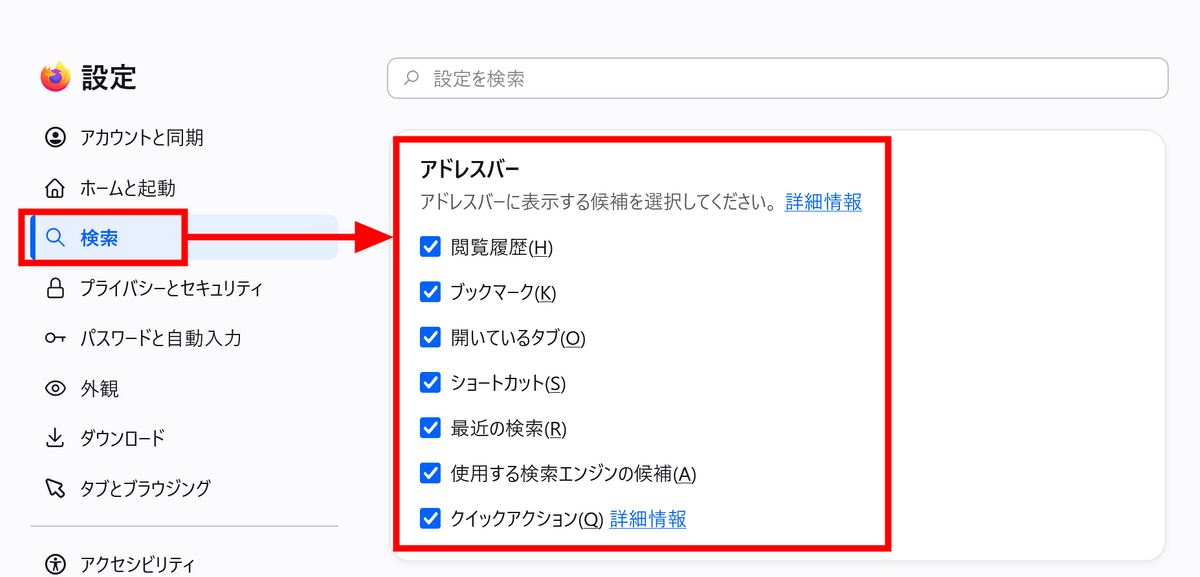
The content displayed in Firefox Suggest can be changed in the settings. By going to 'Settings' → 'Search' → 'Address Bar,' you can turn the display of each type of suggestion on or off.
◆PDF viewer startup is up to 45% faster.
The PDF viewer built into Firefox now launches up to 45% faster than before.
Furthermore, memory and CPU usage have been improved when large JPEG images are scaled down to fit the browser's display area.
◆ Fixed the subtitle display in picture-in-picture.
A bug has been fixed where, if you enabled subtitles in the original video player after displaying a video in picture-in-picture mode, the subtitles would not appear in the picture-in-picture view.
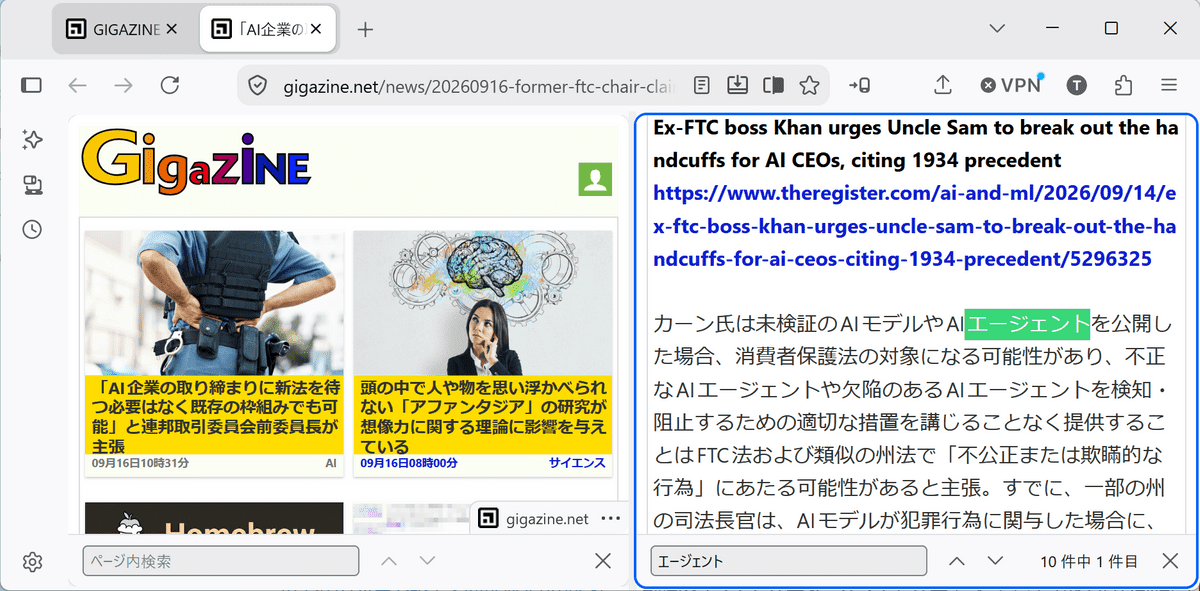
◆Fixed a bug related to the search bar in split view.
A bug has been fixed where, after swapping the left and right panes in split view, the search bar for in-page searches would sometimes become unavailable in that tab.
◆Other fixes and improvements
- Fixed a bug where dragging and moving an image in the rich text editor could sometimes result in the image being replaced by a long string of text.
- Fixed an issue where high-sampling-rate FLAC audio stored in MP4 containers could not be played on websites such as Bilibili.
- Fixed a bug where, when selecting and dragging a folder and the bookmarks within it in the bookmark sidebar, the bookmarks would move outside the folder.
- Fixed an issue where some sites that do not support HTTPS could not be loaded when DNS over HTTPS was enabled.
- Fixed an issue where the network connection could be completely lost in some environments with Firefox's built-in VPN enabled.
- Fixed an issue that could prevent Firefox from automatically hiding the taskbar on Windows.
- Enables hardware decoding of H.264 for WebRTC video calls on Windows terminals equipped with ARM64 processors.
◆Updates for developers
- When displaying the calculation process of CSS declarations in the developer tools inspector, resolve substitution functions such as var() ,attr() , and env() and trace back to the source of the value reference.
- Changed the Inspector's highlighting display to show viewport width and height without rounding.
- Developer tools can now connect to debugger servers up to 3 versions older.
- Changed @supports so that it no longer indicates that the non-standard ::-webkit-scrollbar is supported.
- Fixed the behavior of text-box-trim and text-box-edge in several cases, and now use the font metrics when '::first-line' is applied.
- JavaScript's Promise.try() has been modified to return the same Promise if the callback returns a native Promise, in accordance with the specifications.
- Changed JavaScript's `using` declaration so that it cannot be reassigned.
- Changed the default behavior so that 'ffdhe2048' and 'ffdhe3072' are not presented when establishing a TLS connection.
- Changed SubtleCrypto.deriveBits() to throw a TypeError if an invalid length value such as NaN, Infinity, or a negative value is passed to it.
- When awaiting a Promise or similar that has already been resolved using Scheduler.yield() , the priority and interruption signals of the calling task should be inherited.
- Modified the behavior of Range.deleteContents() andRange.extractContents() when they span Shadow DOM to conform to the specification.
- RTCPeerConnection() now supports 'alwaysNegotiateDataChannels'
- The WebDriver method 'Get Element Tag Name' has been modified to return the qualified name of the DOM element.
- Added the 'backgrounds_area' property to the Firefox theme's theme manifest key , allowing you to specify whether background images and gradients are drawn across the entire browser window or only on the top toolbar.
Firefox 156 also includes several security bug fixes , addressing numerous issues including vulnerabilities classified as 'High' severity, such as privilege escalation in Firefox for Android, use-after-free issues with Web Codecs, and privilege escalation due to incorrect boundary conditions related to Canvas/WebGL.
The next major version, 'Firefox 157,' is scheduled for release on Tuesday, September 29, 2026 (local time).
Related Posts:





in Software, Posted by log1d_ts