OpenAI announces lockdown mode to protect users' sensitive information from prompt injection attacks.
OpenAI has announced ' Lockdown Mode' to protect users' sensitive information from
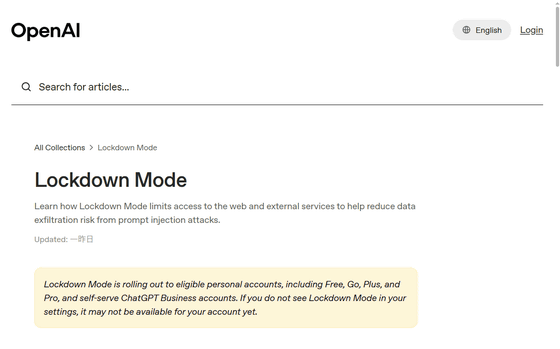
Lockdown Mode | OpenAI Help Center
https://help.openai.com/en/articles/20001061-lockdown-mode
OpenAI unveils Lockdown Mode to protect sensitive data from prompt injection attacks | TechCrunch
https://techcrunch.com/2026/06/06/openai-unveils-lockdown-mode-to-protect-sensitive-data-from-prompt-injection-attacks/
Lockdown Mode is an optional, advanced security setting that restricts the tools and features that OpenAI products can use to connect to the web and external services. Simply put, Lockdown Mode reduces the risk of data leakage through prompt injection attacks by limiting requests to external networks. However, it's important to note that this enhanced security comes at the cost of disabling or limiting some convenient features.
Therefore, OpenAI explains that 'lockdown mode is not suitable for everyone. It is designed for individuals and organizations that handle sensitive data and require stricter protection against data breach risks associated with prompt injection attacks.'
Lockdown mode is available for all account types and workspaces, but it is being rolled out gradually, so it may not yet be displayed in some users' settings screens.
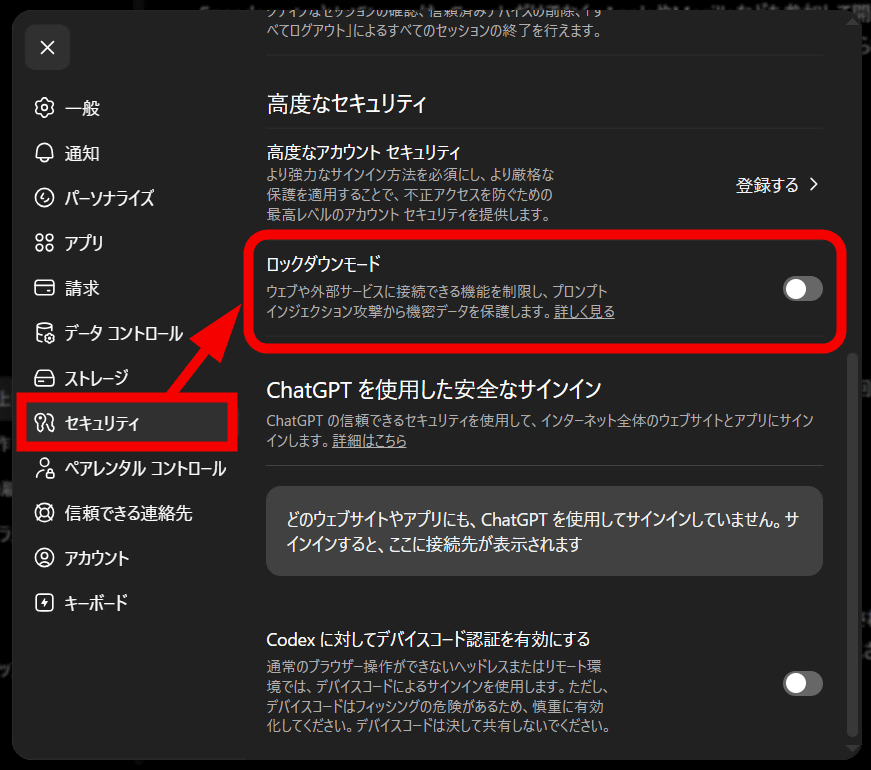
Lockdown mode can be found in ChatGPT settings under 'Security' menu > 'Advanced Security'. Note that Lockdown mode and Developer mode cannot be enabled simultaneously. Also, when Lockdown mode is enabled, a status message will be displayed above the Composer. To turn it off for a specific chat only, select 'Manage' from the status message and then select 'Turn off for this chat'. Alternatively, you can open 'More Options', select 'Lockdown', and then select 'Disable'.
In essence, a prompt injection attack is a type of cyberattack against AI that involves manipulating the AI to leak confidential information or spread misinformation by disguising malicious input as a legitimate prompt.
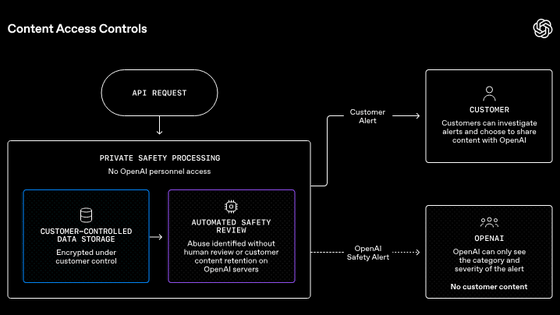
OpenAI is continuously strengthening its multi-layered security and safety systems to protect users' sensitive information from prompt injection attacks, and lockdown mode is one such system based on protection at the AI model, product, and system levels. Specifically, this includes enterprise controls such as sandboxing,
Lockdown mode is designed to prevent the final stage of data leakage via prompt injection attacks by restricting outgoing network requests that could potentially transfer sensitive data to an attacker. However, it cannot prevent prompt injection attacks from occurring on content processed by ChatGPT. For example, prompt injection attacks can occur on cached web content or uploaded files, and it is important to note that this could affect the behavior and accuracy of responses.
When lockdown mode is enabled, the following features of OpenAI products will be disabled:
Live Web Browsing: Web browsing is limited to accessing cached content only. Search results may be limited, unavailable, or outdated.
Image Support: ChatGPT may not be able to display images in normal responses or retrieve images from the web. Users can still upload image files. However, image generation functionality will remain available if other features are available.
Deep Research : Deep Research will be disabled.
Agent Mode : Agent mode will be disabled.
Canvas network functionality: Users cannot authorize Canvas-generated code to access the network.
File Downloads: ChatGPT will no longer be able to download files for data analysis. However, manually uploaded files can still be processed by ChatGPT.
In lockdown mode, features such as memory usage, file uploads, conversation sharing, and whether conversation content is used to improve the AI model remain unchanged. Many of these settings can be configured individually by the workspace administrator.
According to OpenAI, enabling lockdown mode does not change the settings regarding whether or not conversation content is used to train the AI model.
Related Posts: