A new attack method 'SVG clickjacking' has appeared that tricks users on websites and steals data

SVG Filters - Clickjacking 2.0 lyra's epic blog
https://lyra.horse/blog/2025/12/svg-clickjacking/
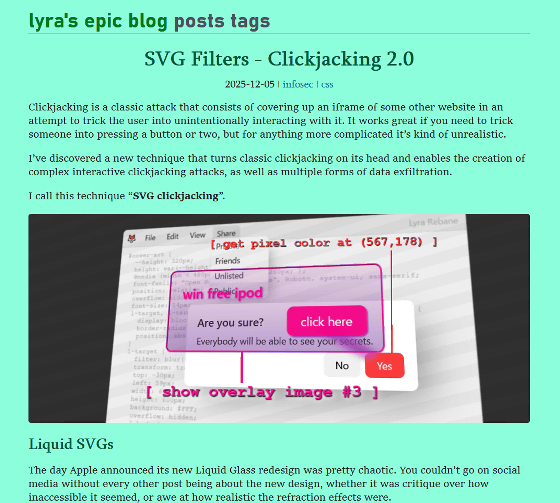
Apple announced Liquid Glass , a new design for iPhones and Macs, at its annual developer conference, WWDC25 , in June 2025. Liquid Glass is a design that incorporates the optical properties of glass, reproducing the refraction and reflection of light and changing its appearance depending on the content.
While there were complaints about Liquid Glass, such as 'it's hard to distinguish between the background and the UI,' Rebane wondered if this effect could be achieved on the web without relying on canvas or shaders. After about an hour of work, Rebane succeeded in recreating Liquid Glass quite accurately using CSS/SVG.
Rebane has posted a demo of the effect he created on his blog, and in the screenshot below you can see that it does indeed replicate the glassy effect of Liquid Glass.
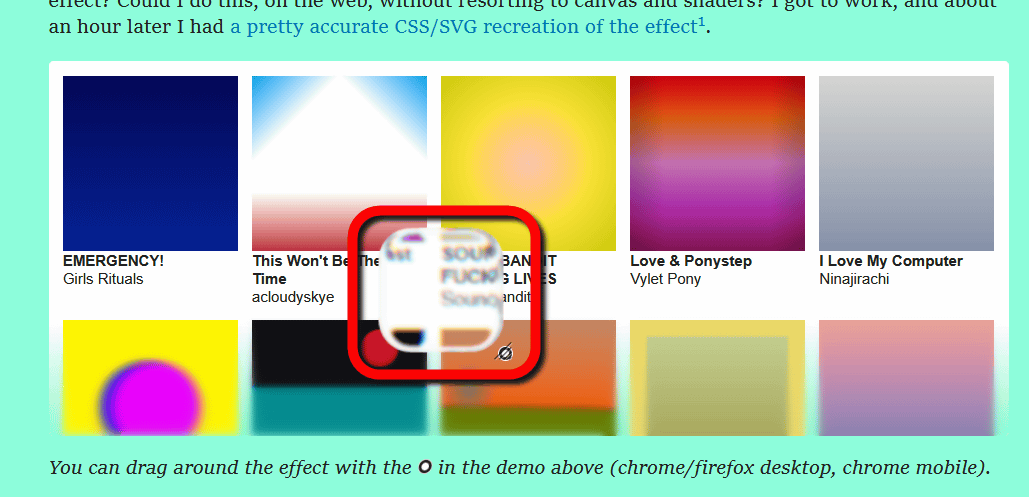
A few days after creating this demo, Rebane wondered whether the SVG effect that replicates Liquid Glass would work on an iframe (inline frame element). He tried it out and found that the Liquid Glass effect, which uses an SVG filter, works on an iframe. Because this effect can change the color and move pixels, he wondered if it could be used for some kind of clickjacking.
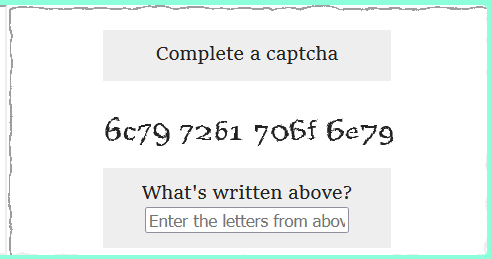
To get a rough idea of clickjacking using SVG filters, Rebane uses the example of an attack in which a user is tricked into entering a secret code into a form prepared by an attacker. For example, on the original website, the secret code is displayed along with a warning such as 'Here is your secret code:' and 'Don't share it with anyone!'
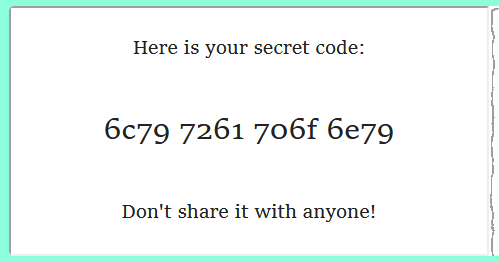
If you use an SVG filter to overlay fake text on this, it looks like this to the user: The 'Here is your secret code:' message is obscured by the 'Complete a captcha' message, and the 'Don't share it with anyone!' warning is obscured by the 'What's written above?' message and input form. This makes the screen that actually displays the secret code appear to the user as a screen for entering difficult-to-identify alphanumeric characters to prove they're not a robot, leading to the code being stolen.
Rebane named this attack technique 'SVG Clickjacking' and demonstrated that it can actually be carried out on Google Docs. The following two X-embedded videos show the attack from both the user and background perspectives.
(video 2/2 - behind the scenes) pic.twitter.com/h8szZwL6Og
— Rebane (@rebane2001) September 25, 2025
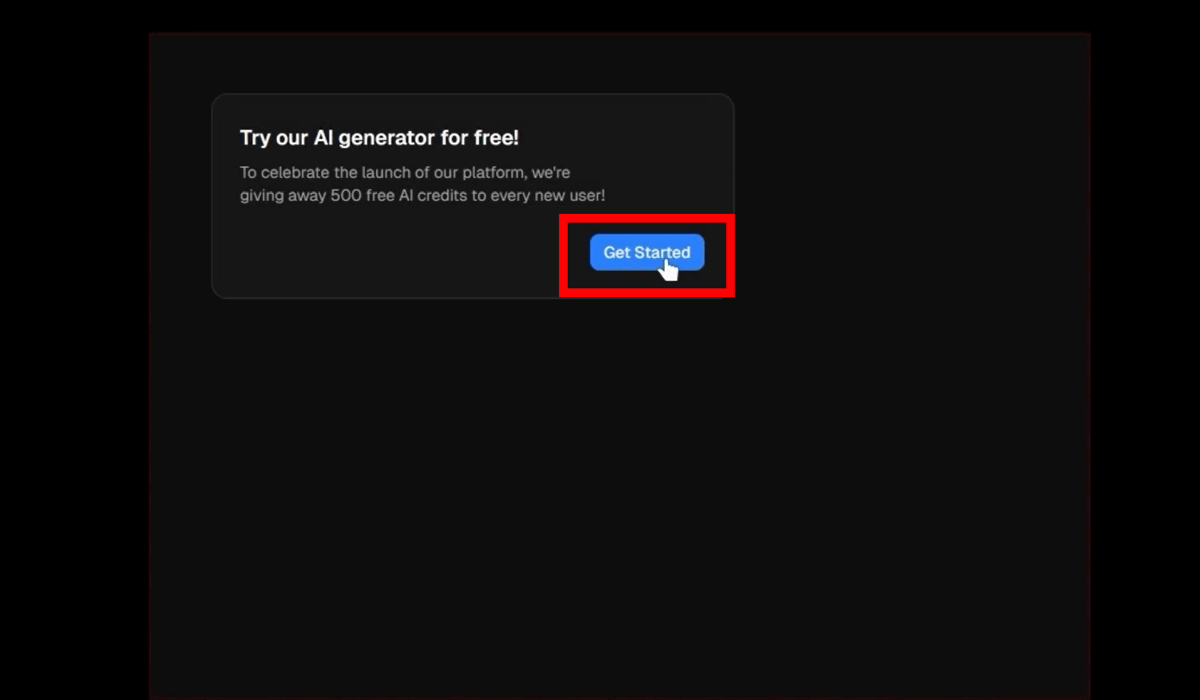
When I accessed the website, I saw the message 'Try our AI generator for free!' Click 'Get Started.'
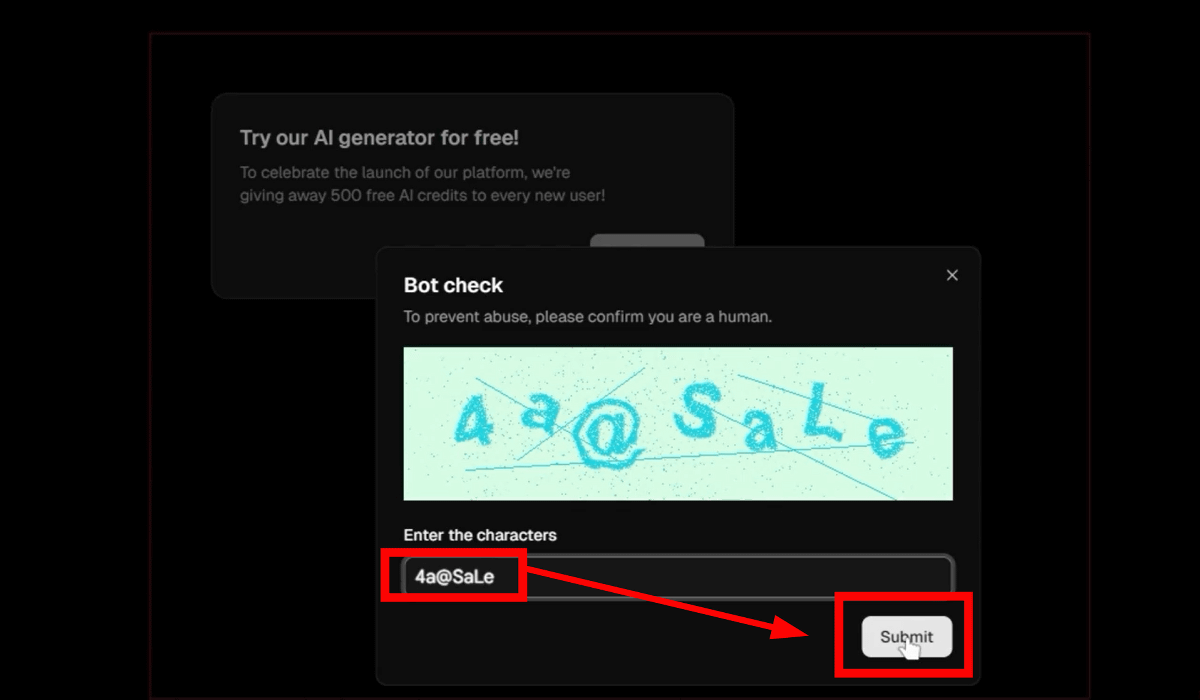
Then, a bot check screen like the ones you see on authentication screens popped up. As usual, I entered the hard-to-read '4a@SaLe' into the form below. Then I clicked 'Submit.'
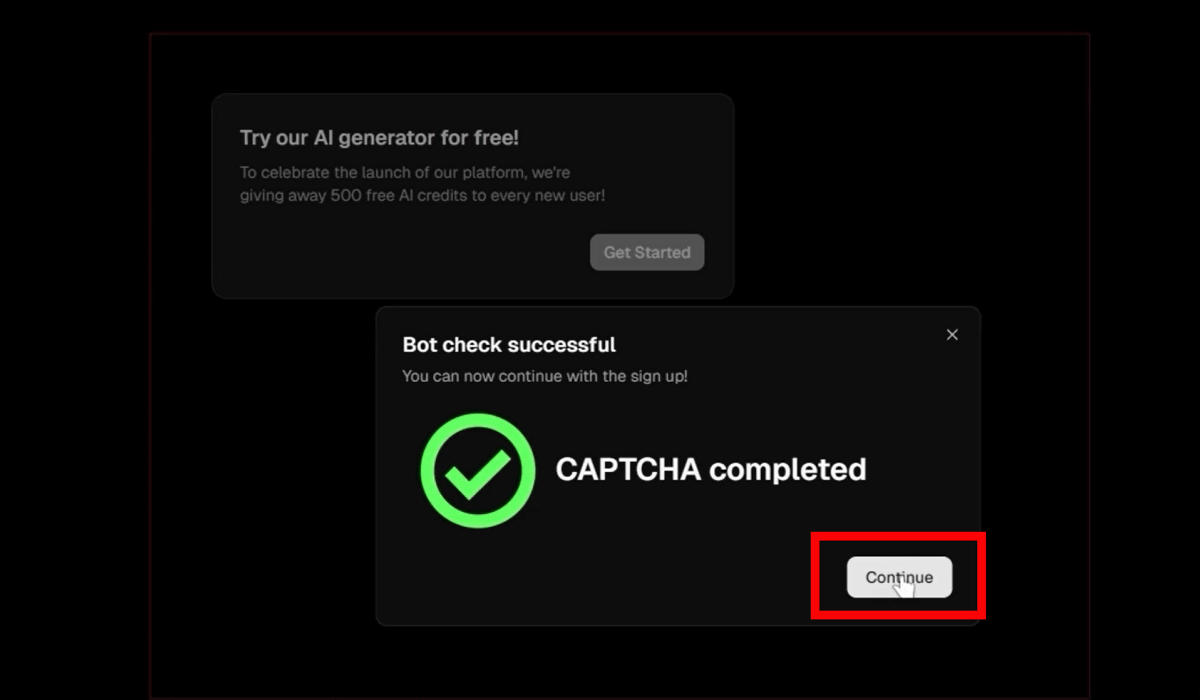
A message will appear saying that authentication has been completed. Click 'Continue.'
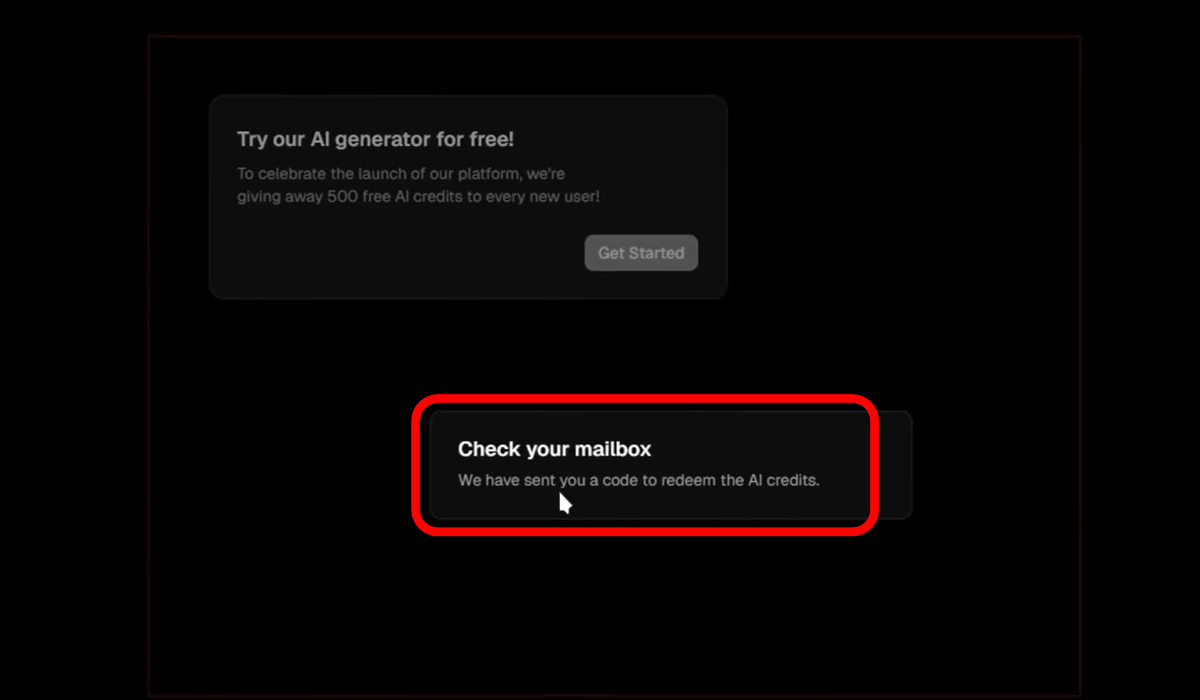
Then, a message appeared saying that a code to get AI credits had been sent and to check my mailbox.
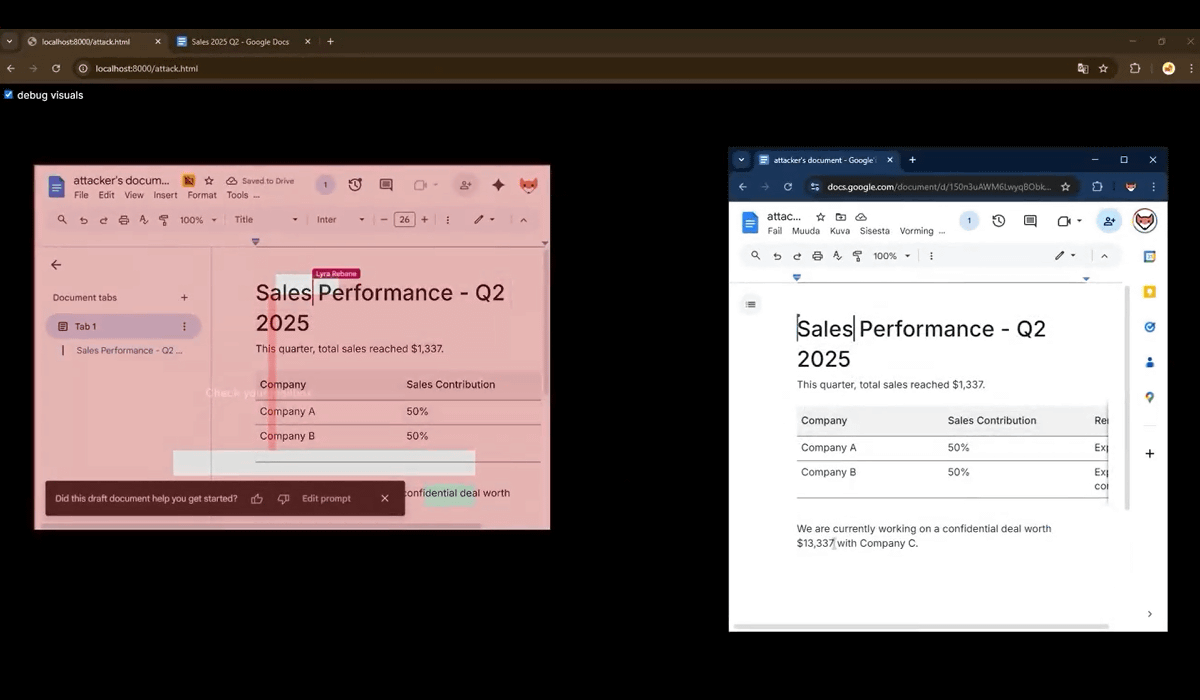
In fact, behind the scenes, data about the second quarter of 2025 financial results that was written in the user's Google Doc was leaked to the attacker's Google Doc.
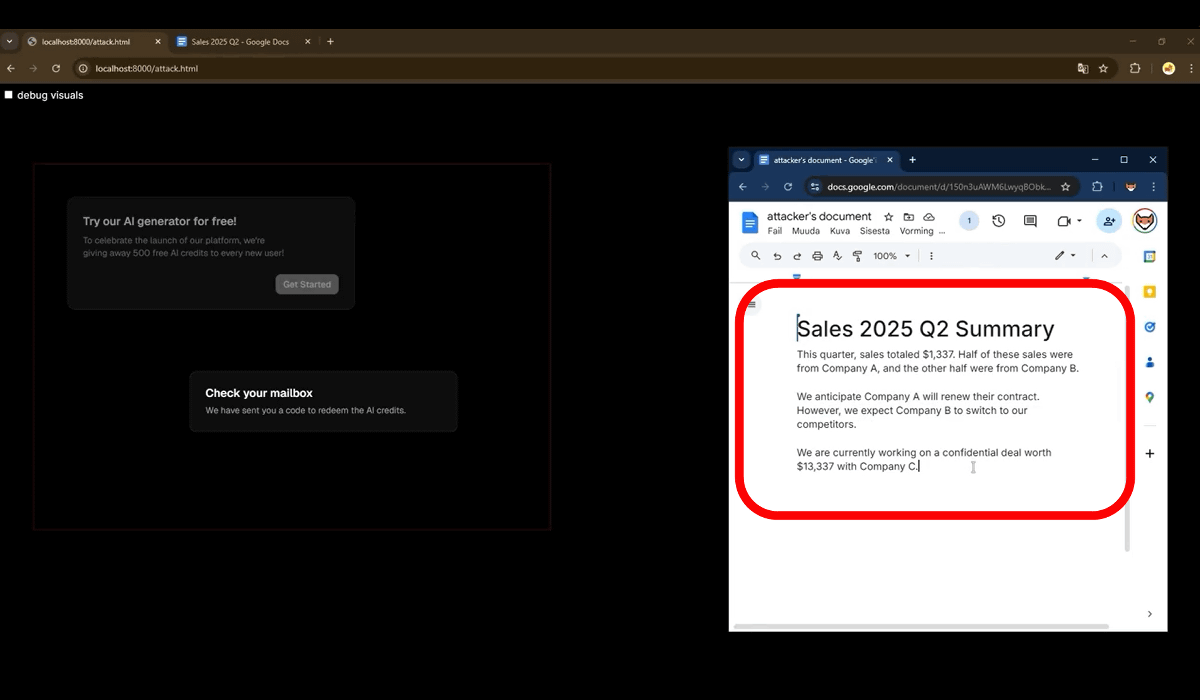
The second video shows what was happening behind the scenes: the user was not actually interacting with a website, but with the attacker's Google Doc embedded in an iframe on the website. By disguising the user's view with SVG, the attacker was able to hide the actual operation.
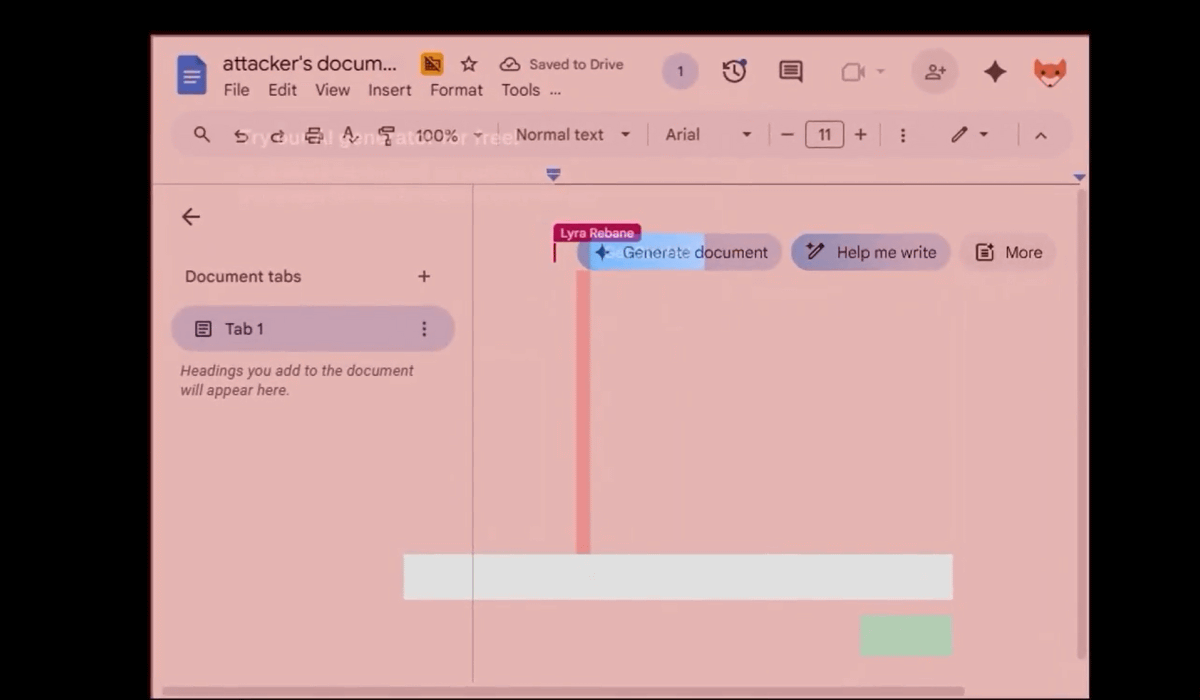
When clicking 'Try our AI generator for free!', the user actually clicked the 'Generate Document' button on Google Docs. At this time, the user is logged in to their Google account and operates the attacker's Google Docs, but they are unaware because nothing appears to be happening on the website.
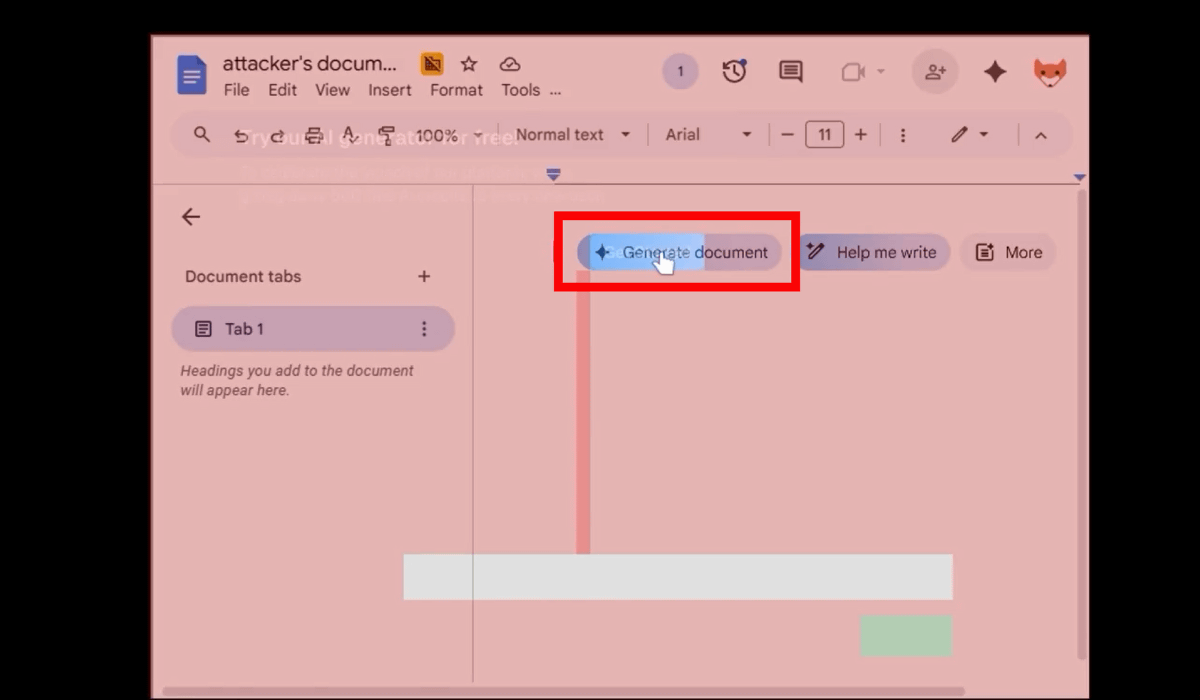
Unseen by the user, Google's AI, Gemini, was running in Google Docs, asking for instructions on which document to generate. When the user entered the string '4a@SaLe' that they had entered during the bot check, the document 'Sales 2025 Q2' was displayed as a suggestion from the files stored in the user's Google Docs.
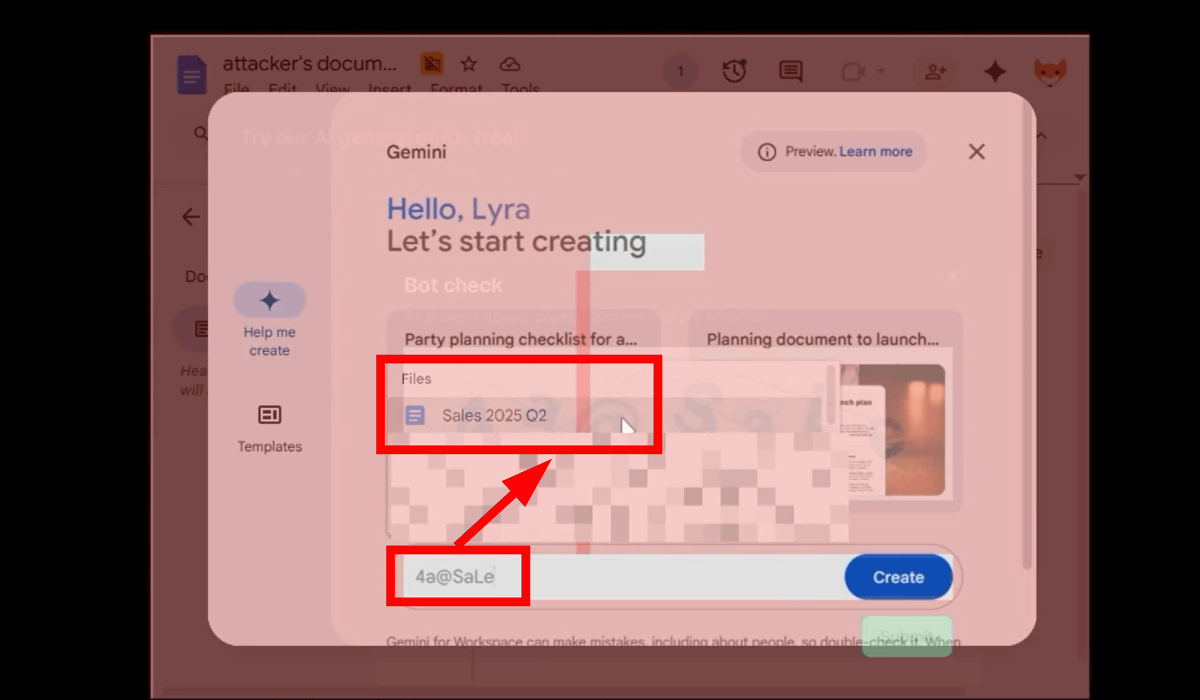
The user finished entering the string and clicked 'Submit.' At this point, the screen shifted in the attacker's Google Doc, and it appeared that the user had actually clicked 'Sales 2025 Q2,' a suggestion displayed by Gemini.
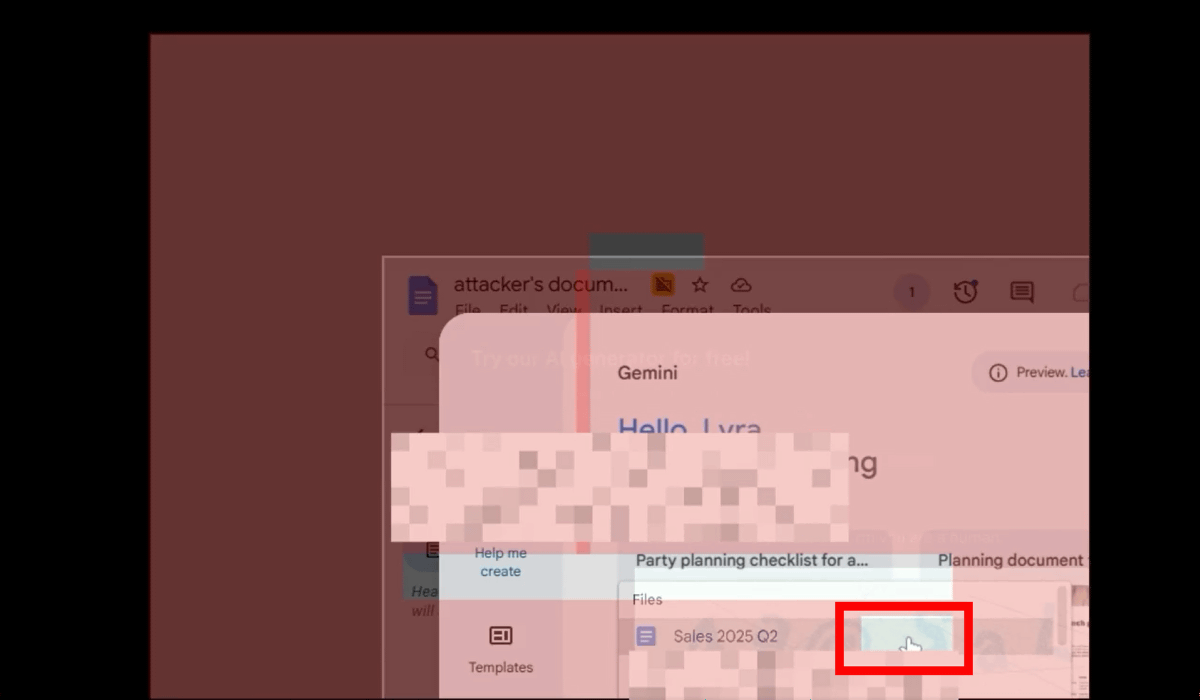
Next, the user clicks 'Continue.' The Google Docs screen returns to its original position, and 'Create' is clicked on the Google Docs screen.
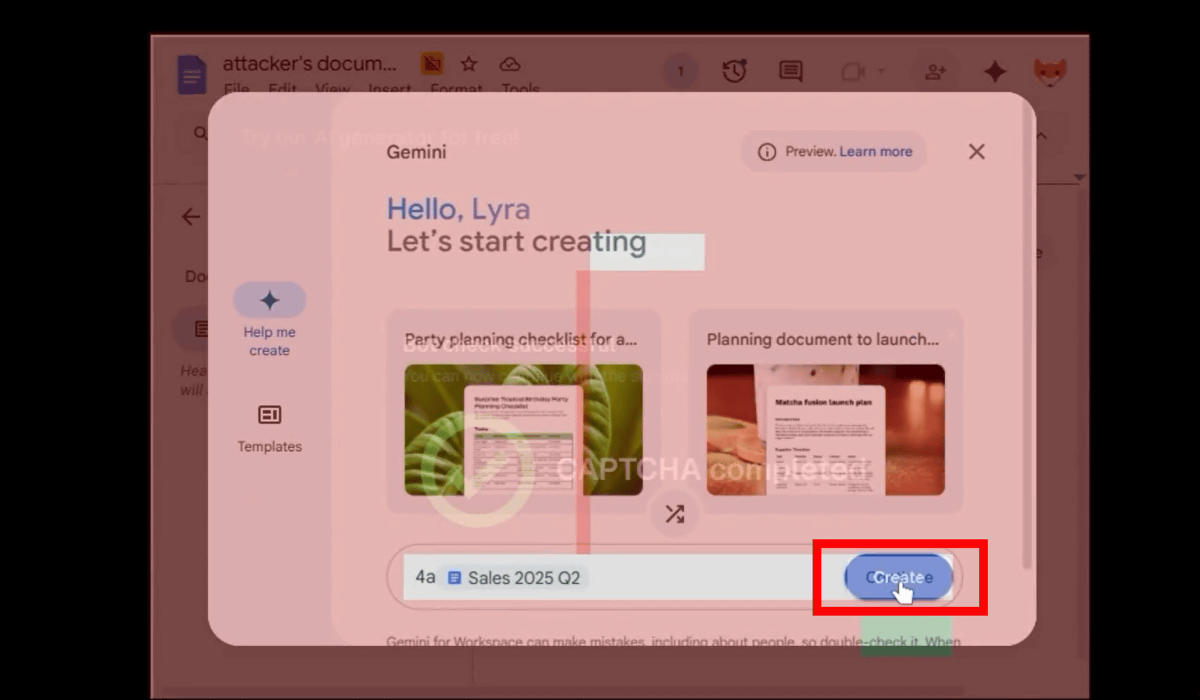
Gemini will generate a document based on your files.
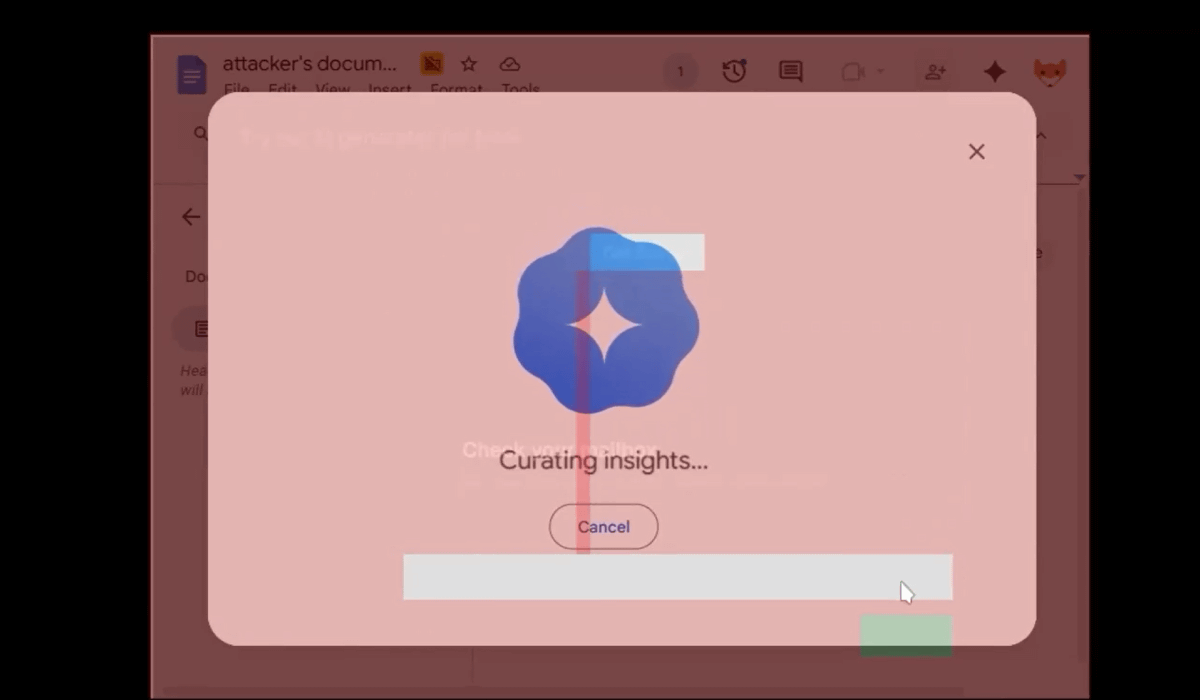
This is how data is leaked to the attacker's Google Docs without the user even realizing it.
Rebane reported the attack to Google and received $3,133.70 (approximately 480,000 yen) through the vulnerability reward program.
Related Posts:
in Video, Software, Web Service, Security, Posted by log1h_ik