How to generate consistent code using OpenSpec, which makes specification-driven development easy to adopt
OpenSpec is a tool that makes it easy to introduce the AI-based coding method 'Specification-Driven Development (SDD),' which automatically generates consistent code from specifications.
GitHub - Fission-AI/OpenSpec: Spec-driven development for AI coding assistants.
OpenSpec — A lightweight spec‑driven framework
https://openspec.dev/

Specification-driven development is a software development approach in which code is generated and implemented based on a detailed system specification, ensuring consistency throughout the development process and reducing bugs.
To use OpenSpec, you need node.js version 20.19.0 or higher. In a Windows environment, use a terminal such as Git Bash or WSL to install OpenSpec with the following command:
[code]npm install -g @fission-ai/openspec@latest[/code]
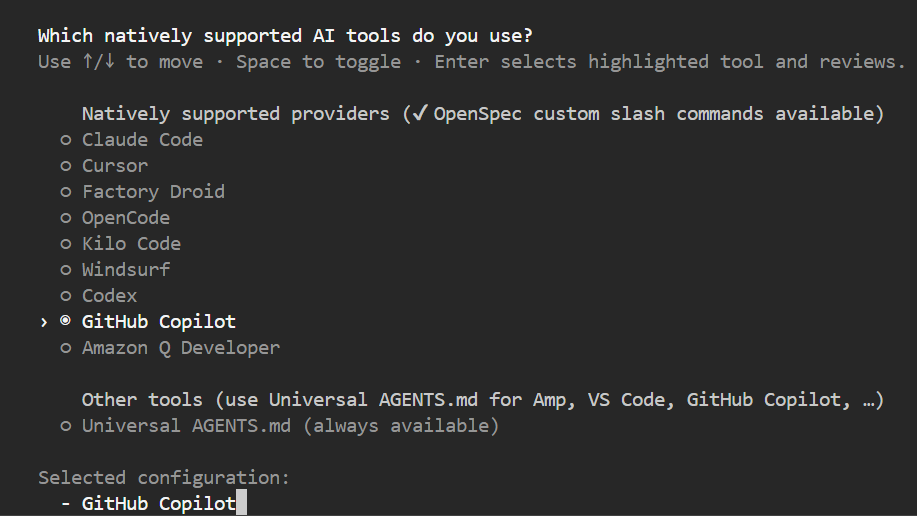
The available environments are as follows:
・Claude Code
・Cursor
・Factory Droid
・OpenCode
・Kilo Code
Windsurf
・Codex
・GitHub Copilot
・Amazon Q Developer
Execute the following command in the root folder of the project to initialize OpenSpec.
[code]openspec init[/code]
Select your environment.
This time, we will create a kitchen timer app that runs in a web browser. Edit the project.md file in the openspec folder to describe the kitchen timer specifications and coding rules. First, describe the purpose and any specifications you can think of at the time, and then fill in the remaining items using AI chat.
# Project Context
Purpose
Provide a simple and highly visible timer for use in home and commercial kitchens via a web browser.
- Place buttons to set 1 minute, 3 minutes, and 5 minutes; pressing a button starts a countdown from that time.
- During the countdown, display the remaining time prominently.
- If a button is pressed again during the countdown, reset the timer and start a new countdown.
Tech Stack
- HTML5
- JavaScript (ES6)
- CSS3
Next, for Github Copilot Chat, use the /openspec-proposal command to propose 'Create a UI.'
[code]/openspec-proposal Create a UI[/code]
This will create a folder with the English name 'create-ui' automatically assigned based on the proposal in the changes folder within the openspec folder, and various files will be generated directly below it.
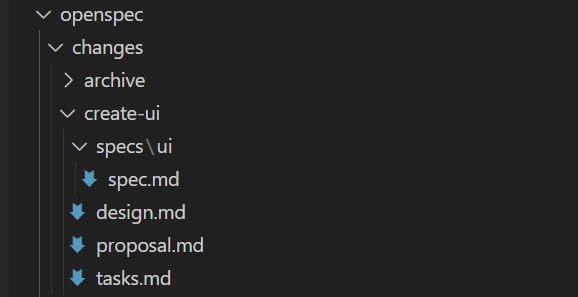
The contents of the various files created are as follows:
・proposal.md
# Proposal: create-ui
Summary
Add a simple, highly visible kitchen timer UI for web browsers, as described in openspec/project.md. This is a new capability; no prior UI implementation exists.
Motivation
The project currently lacks any user interface. Implementing the timer UI is essential for delivering the core value proposition.
## Scope
- HTML, CSS, JS for timer UI
- 1/3/5 minute buttons
- Large countdown display
- Button press resets timer during countdown
## References
- See openspec/project.md (Purpose section)
・design.md
# Design: create-ui
Overview
A minimal, single-page web app using vanilla HTML/CSS/JS. No frameworks. All logic client-side. Simple, accessible layout for kitchen use.
Reasoning
- No prior UI, so no migration needed
- Vanilla stack for simplicity and maintainability
- Large, clear display for kitchen visibility
- Buttons reset timer as per requirements
・tasks.md
# Tasks for create-ui
1. Scaffold html/, html/index.html, html/style.css, html/timer.js
2. Implement UI layout: buttons (1/3/5 min), large timer display
3. Implement timer logic in JS (countdown, reset on button press)
4. Style for visibility and usability (CSS)
5. Manual browser test: verify all scenarios
6. Add/validate spec.md for UI requirements
・spec.md
# Spec: timer-ui
## ADDED Requirements
### Requirement: Timer UI for Kitchen Use
A simple, highly visible timer UI SHALL be provided in the browser for kitchen use.
#### Scenario:
-User opens the app in a browser
- Sees buttons for 1, 3, and 5 minutes
- Presses a button; countdown starts from that time
- Remaining time is displayed in large font
- Pressing a button during countdown resets and starts new countdown
### Requirement: Accessible and Usable Layout
The UI SHALL be easy to operate and read in kitchen environments.
#### Scenario:
-Buttons are large and clearly labeled
- Timer display is prominent
- Works on desktop and tablet browsers
If there are any omissions or corrections in the content, you can fill in the gaps in the AI chat and the necessary changes will be automatically made, which is convenient. Of course, you can also rewrite it directly. Once the content is solidified, you can instruct 'Please validate' and OpenSpec will validate the content.
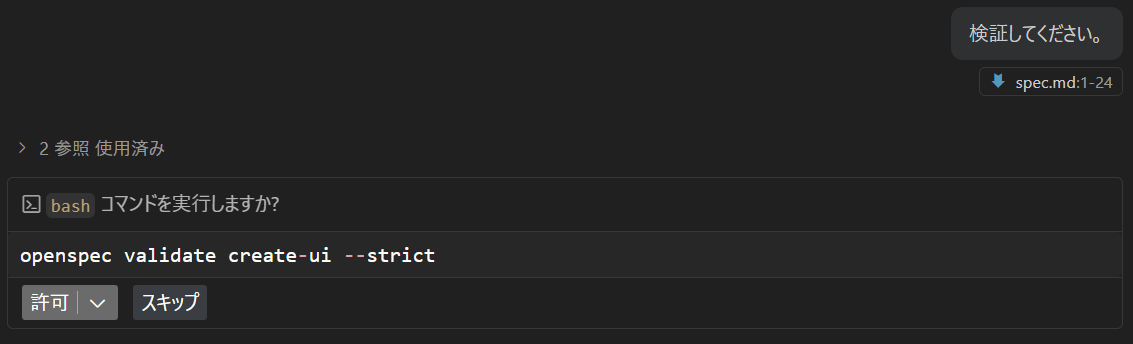
Once validation is complete, the next step is to generate the code using the /openspec-apply command.
[code]/openspec-apply[/code]
The code will be generated automatically.
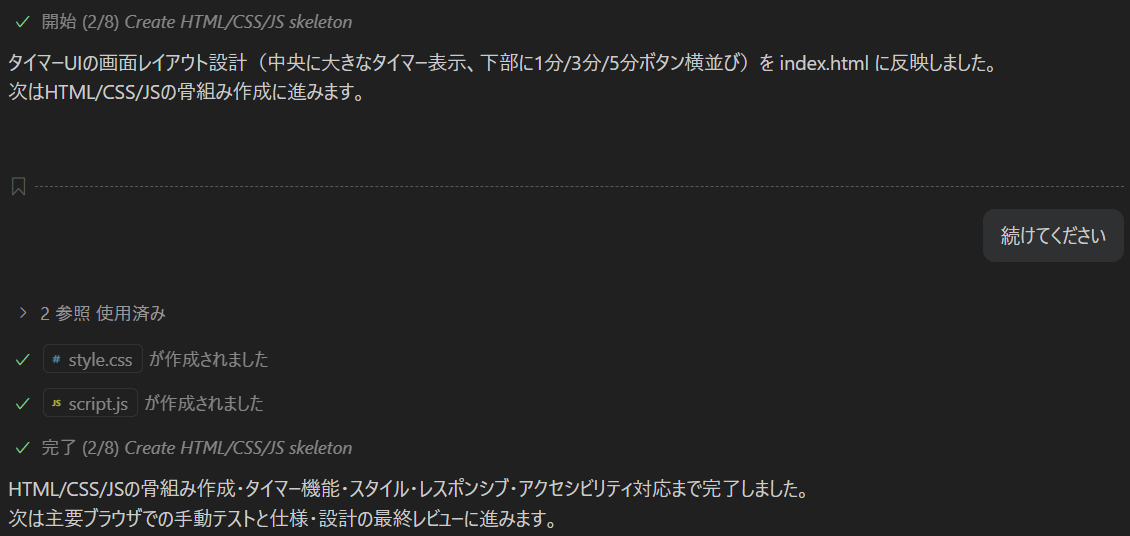
This time, the kitchen timer app was completed with just one instruction. Even if an error occurs, you can correct it automatically by instructing it via AI chat.
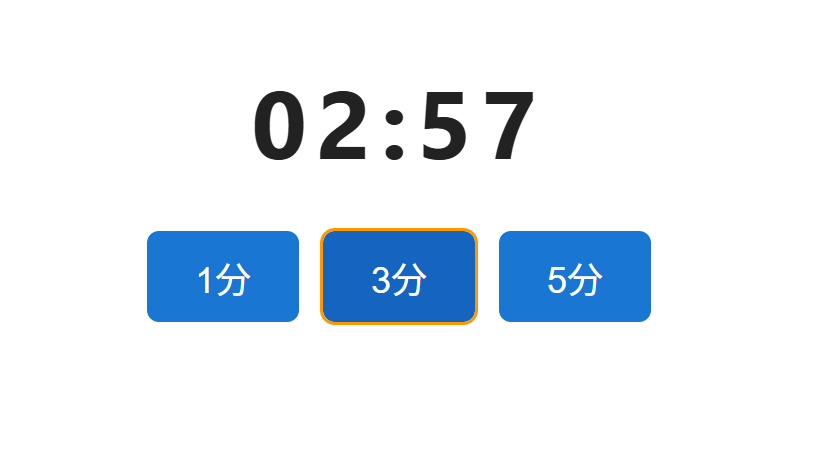
If you are happy with this, archive the contents with the /openspec-archive command.
[code]/openspec-archive[/code]
At the time of archiving, the work from the series of proposals is complete. From now on, the contents of the create-ui folder should not be changed. If any changes to the specifications occur in the future, a new proposal will be made. A new folder is created under the changes directory for each proposal, and the history of additions and changes is managed.
This time we used a very simple web application as an example, but it is also possible to use OpenSpec only for part of the work. You can use OpenSpec only for the parts where you want to keep a history, and proceed with regular development methods for the rest. This can be expected to improve the efficiency and quality of the entire project.
Related Posts: